
 happy-property
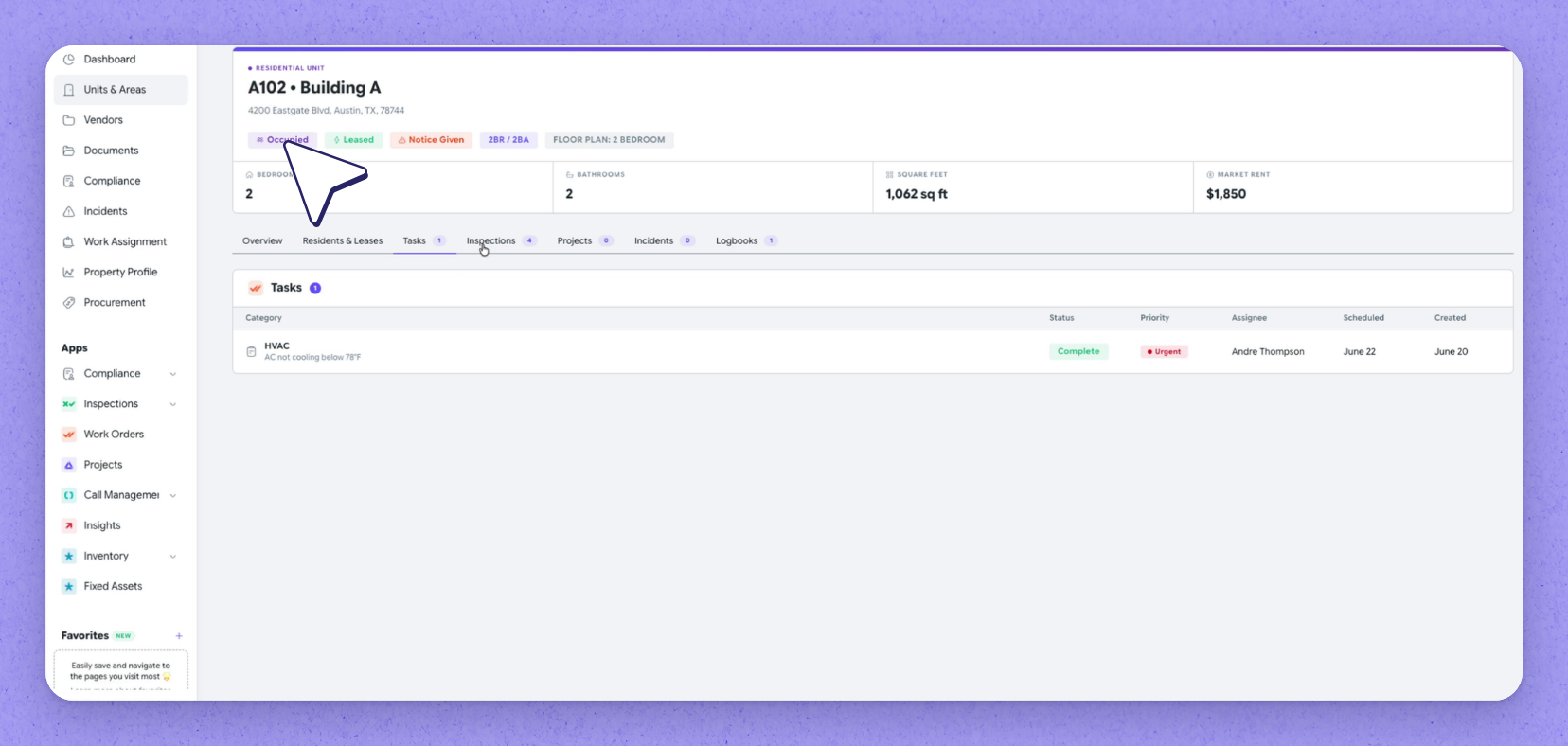
The enhanced Units and Areas view brings a unit's complete picture together on one page, so you can answer the questions that come up on site all day without hopping between screens. The header gives you status at a glance alongside floor plan, square footage and market rent, and the tabs below carry the current lease, lease history, tasks and inspections. It's powered by your PMS connection and the data in HappyCo.
 See unit status at a glance
Open a unit to see its full detail on one page. The header shows the unit's status at a glance — for example occupied, leased and with notice given — with floor plan, square footage and market rent alongside.
The tabs below carry the rest of the unit's story:
- Current lease — term, rent, deposit and resident contacts.
- Residents and Leases — past leases and who held them.
- Tasks — any work done on this unit, which you can review in detail from the unit detail view.
- Inspections — each inspection's status, assignee and date, including a scheduled move-out.
| Section | What it shows |
|---|---|
| Header | Unit status at a glance, with floor plan, square footage and market rent |
| Current lease | Term, rent, deposit and resident contacts |
| Residents and Leases | Past leases and who held them |
| Tasks | Work that's been done on this unit, with detail available from the unit view |
| Inspections | Each inspection's status, assignee and date, including a scheduled move-out |
Frequently asked questions
Where does the data in the unit detail view come from?
It's powered by your PMS connection and the data in HappyCo, which brings each unit's full story into one place.
Can I review a unit's tasks without leaving the unit view?
Yes. The Tasks section lists work that's been done on the unit, and you can review those tasks in detail directly from the unit detail view.
Does the view show move-out inspections?
Yes. The Inspections section shows each inspection's status, assignee and date, including a scheduled move-out.