
The HappyCo Connector (an MCP connector) brings your HappyCo data directly into Claude, so you can ask plain-English questions about your maintenance operations and get instant answers. Claude acts as you, within the access your organization gives you.
 In this article
 Watch it in action
Add the HappyCo Connector to Claude
-
Add the HappyCo Connector in your own Claude account
Each user adds the connector in their own Claude account. TipNothing needs to be turned on in HappyCo first.
-
Sign in with your HappyCo login
Use the same login you use for HappyCo.
 No setup in HappyCo
Nothing needs to be turned on in HappyCo. The HappyCo Connector is a connector you add inside Claude. It isn't a HappyCo Plugin Marketplace plugin or a PMS integration, and it isn't set up in HappyCo Settings.
How current the data in Claude is
It depends on the question.
- Looking up a single work order: live data.
- Any change Claude makes: live data.
- Summary and trend answers (counts, averages, trends): a reporting copy that can lag by a few minutes.
- Claude says how current that data is.
Asking Claude about work orders
Example questions
- "What work order category is taking my technicians the longest to complete at each property?"
- "Which of my properties has the most open work orders right now?"
- "Show me how work order volume has trended over the last 12 weeks across my portfolio."
- "Which properties are falling behind on completing maintenance requests?"
- Property: How each community is performing, how many open work orders it has, and how quickly it completes maintenance requests.
- Work category: Which types of maintenance (HVAC, plumbing, appliances and so on) take the longest or generate the most volume.
- Technician: How completion times compare across your maintenance team.
- Time: How work order volume and completion rates are trending week over week.
- Single work order: The full history of one job, including activity notes, photos and attachments, and whether it synced to your PMS.
Create or update work orders with Claude
 Ask Claude to create or update work orders
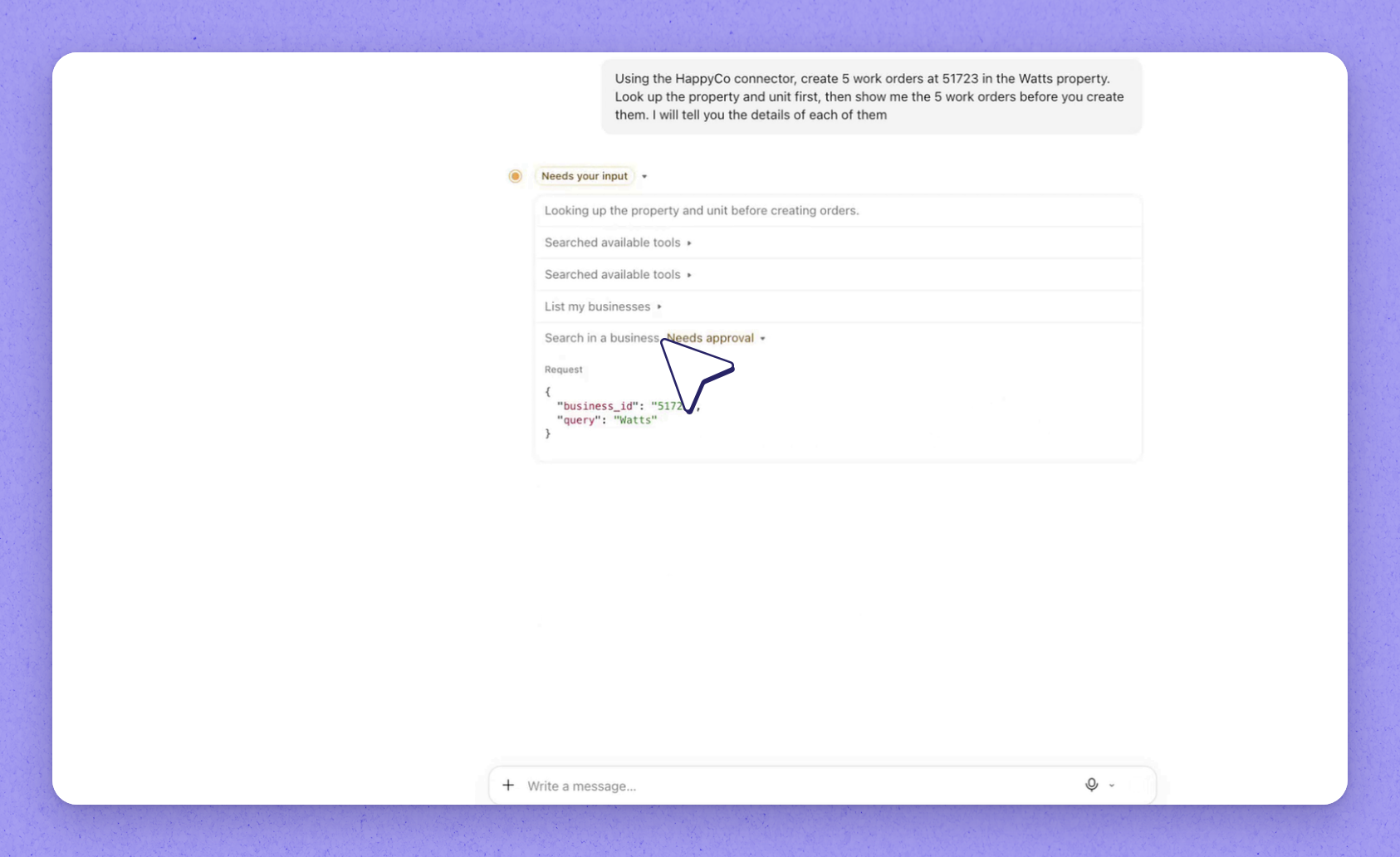
For example, ask Claude to assign work orders to a person. Claude uses the Create Work Order and Update Work Order tools.
 Review the list Claude reads back
Claude reads the list back with a category for each item.
 Approve the changes
Claude asks for your approval before it uses either tool.
Tip
New work orders appear on the unit, open and unassigned, with you listed as the reporter.
Asking Claude about inspections
Example questions
- "Which properties have the most inspections still sitting incomplete?"
- "Show me the move-out inspection for unit 17-102."
- "What resident charges came out of inspections at Riverside last month?"
- "How long are turn inspections taking compared to preventative maintenance inspections?"
- Property and template: How many inspections are scheduled, incomplete, complete or expired, and how that varies across your communities.
- Inspector: How long inspections take to complete across your team.
- Time: How inspection volume and completion are trending week over week.
- Single inspection: Every section and item, with ratings, inspector notes, photos, attachments and any resident charges recorded against it.
Asking Claude about projects and make-ready turns
Example questions
- "What's our average turn time by property?"
- "Which boards have the most projects still open?"
- Property and board: How many projects are open, on hold, completed or cancelled across your portfolio.
- Turn time: How long make-ready projects take from scheduled start to completion, to compare make-ready speed across communities.
- Assignee and priority: Where project work is concentrated and what is flagged as urgent.
Frequently asked questions
Do I need to turn anything on in HappyCo to use the connector?
No. Nothing needs to be turned on in HappyCo. Each user adds the HappyCo Connector in their own Claude account and signs in with their HappyCo login.
Is the HappyCo Connector a Plugin Marketplace plugin or a PMS integration?
Neither. It's a connector you add inside Claude, and it isn't set up in HappyCo Settings.
What happens if I don't have permission to make a change?
Nothing is changed, and Claude explains which field HappyCo refused. Creating or assigning work orders needs business-wide access (admin-level) for now, and after that the same permissions as Manage apply.
Is the data Claude sees live?
Looking up a single work order, and any change Claude makes, uses live data. Summary and trend answers come from a reporting copy that can lag by a few minutes, and Claude says how current that data is.
Does Claude create work orders without my approval?
No. Claude asks for your approval before it uses the Create Work Order or Update Work Order tool, and it reads the list back to you first, so nothing is created until you confirm.
Who is listed as the reporter on work orders Claude creates?
You are. Claude creates and updates work orders as you, within the access your organization gives you, and each new work order lists you as the reporter.