
 happy-property
Simplified Reporting in HappyCo Insights gives property and portfolio teams preset reports across your whole business, with no setup required. It matters because you get actionable answers about your work orders and unit turns without building reports first, so you can see where your properties need attention. There are two reports to start: Make Ready and Work Orders. Each one opens already built, leading with a plain answer to the question that drives property performance.
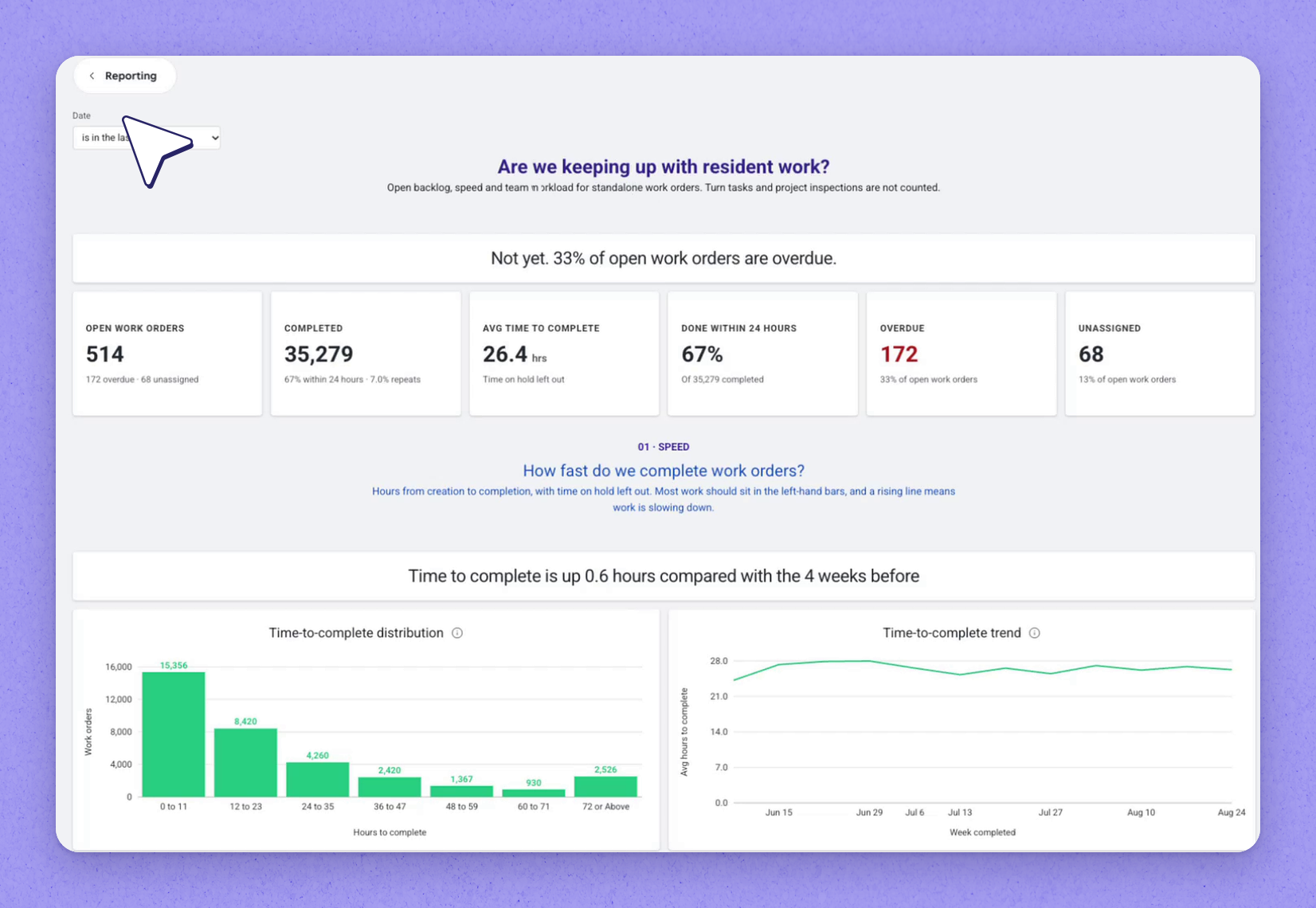
 Open the Work Orders report
 and it's already built, leading with a plain answer. It surfaces insight into open work orders that are overdue, alongside what's open, completed, done within 24 hours, and unassigned.
Below the headline, each section answers one question:
- How quickly work gets completed — what's waiting, for how long, and which properties have the most overdue work.
- What kind of work is coming in, and who's completing it.
 Open the Make Ready report
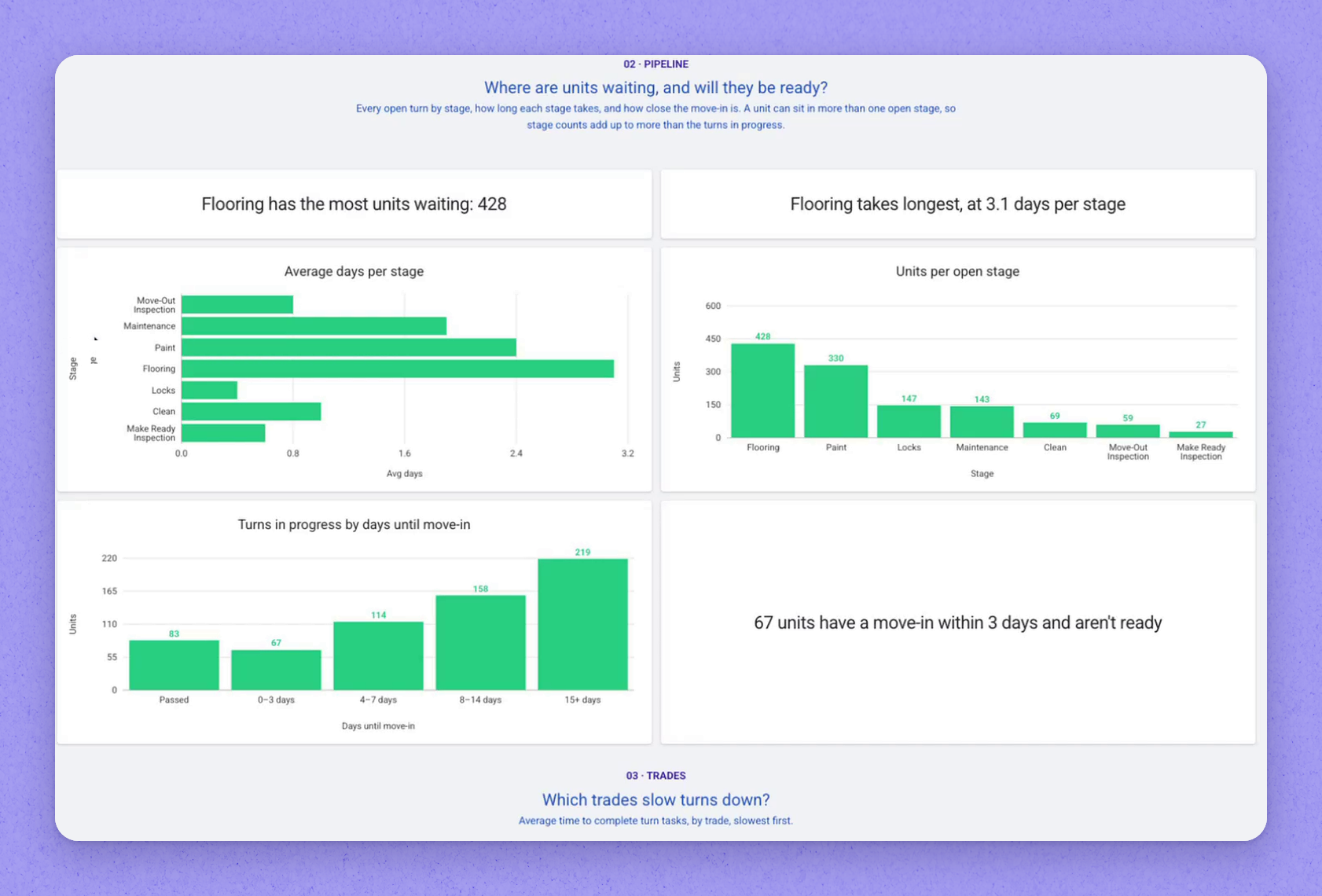
 to see whether units will be ready for move-in. The report shows turns in progress and completed, average turn time, and turn time by property with the slowest at the top.
Further down it shows:
- Where units are waiting and which stages take longest.
- Which trades slow down turns the most, and which are fastest.
| Report | The question it answers |
|---|---|
| Work Orders | How quickly work gets completed, what kind of work is coming in, and who's completing it — surfacing open work orders that are overdue, open, completed, done within 24 hours, and unassigned. |
| Make Ready | Whether units will be ready for move-in — turns in progress and completed, average turn time, turn time by property, where units are waiting, which stages take longest, and which trades are slowest and fastest. |
Frequently asked questions
Do I need to build a report before I can use Simplified Reporting?
No. Simplified Reporting gives you preset reports with no setup. When you open a report, it's already built across your whole business.
Which reports are available?
There are two to start: Make Ready and Work Orders. Each leads with a plain answer, and below the headline each section answers one question.
How does the Work Orders report help me know where to focus?
It shows what's waiting, for how long, and which properties have the most overdue work, so you can see where support is needed.