
HappyCo
This article walks you through the final stage of a sourcing event in HappyCo: inviting vendors and publishing your RFP so it goes live and is ready for responses. Once your event is set up, you can have Joy, the AI assistant, suggest vetted vendors, choose whether the bid is public or private, and publish immediately or on schedule. By the end, your invited vendors are notified and your sourcing event is out in the world.
 In this article
 Invite vendors before publishing
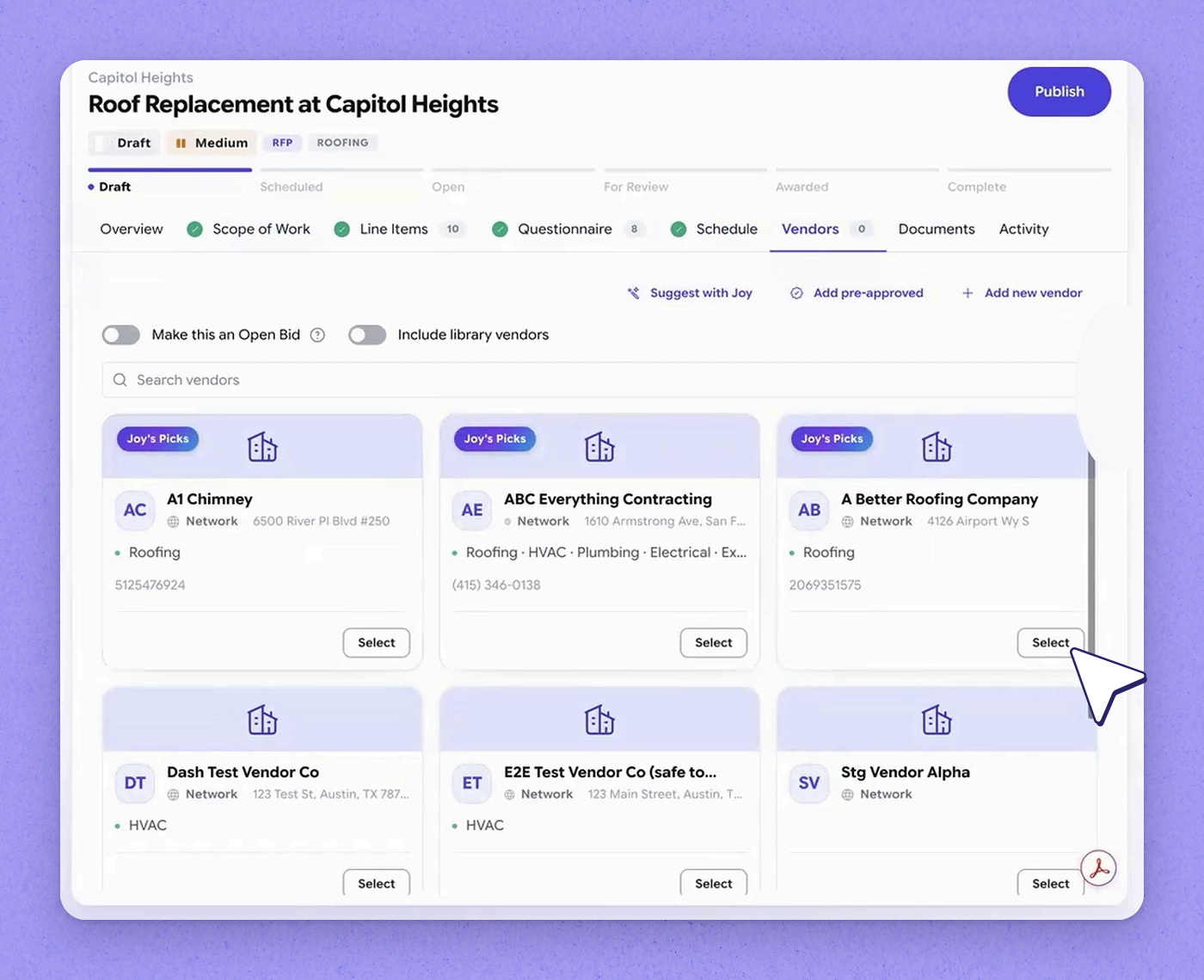
After your event is set up, the system can run automatically on the schedule you defined. When the publish date arrives, it automatically sends the RFP out to your invited vendors. Before that happens, add your vendors — the most critical part of the process. Go to the vendors tab, where you can add vendors just by conversing with Joy.
 Tip
Tip
You don't have to add vendors manually — you can do it in conversation with Joy.
 Select Joy's recommended vendors
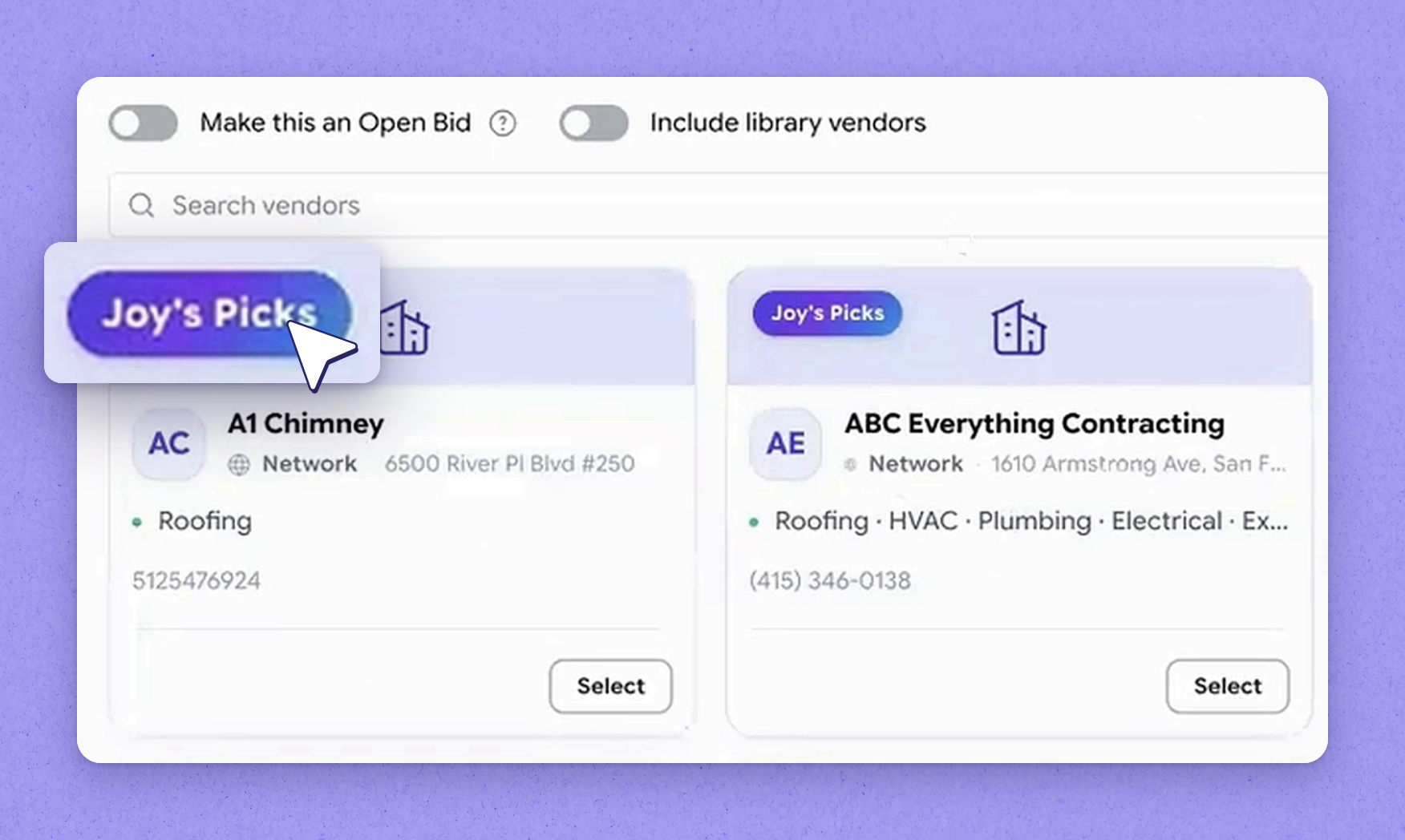
For this event, Joy suggests the top three vendors based on their proximity and the kind of work they do. Review the suggestions to confirm they fit your needs. Then select all three that Joy is recommending.
 Public vs private bids
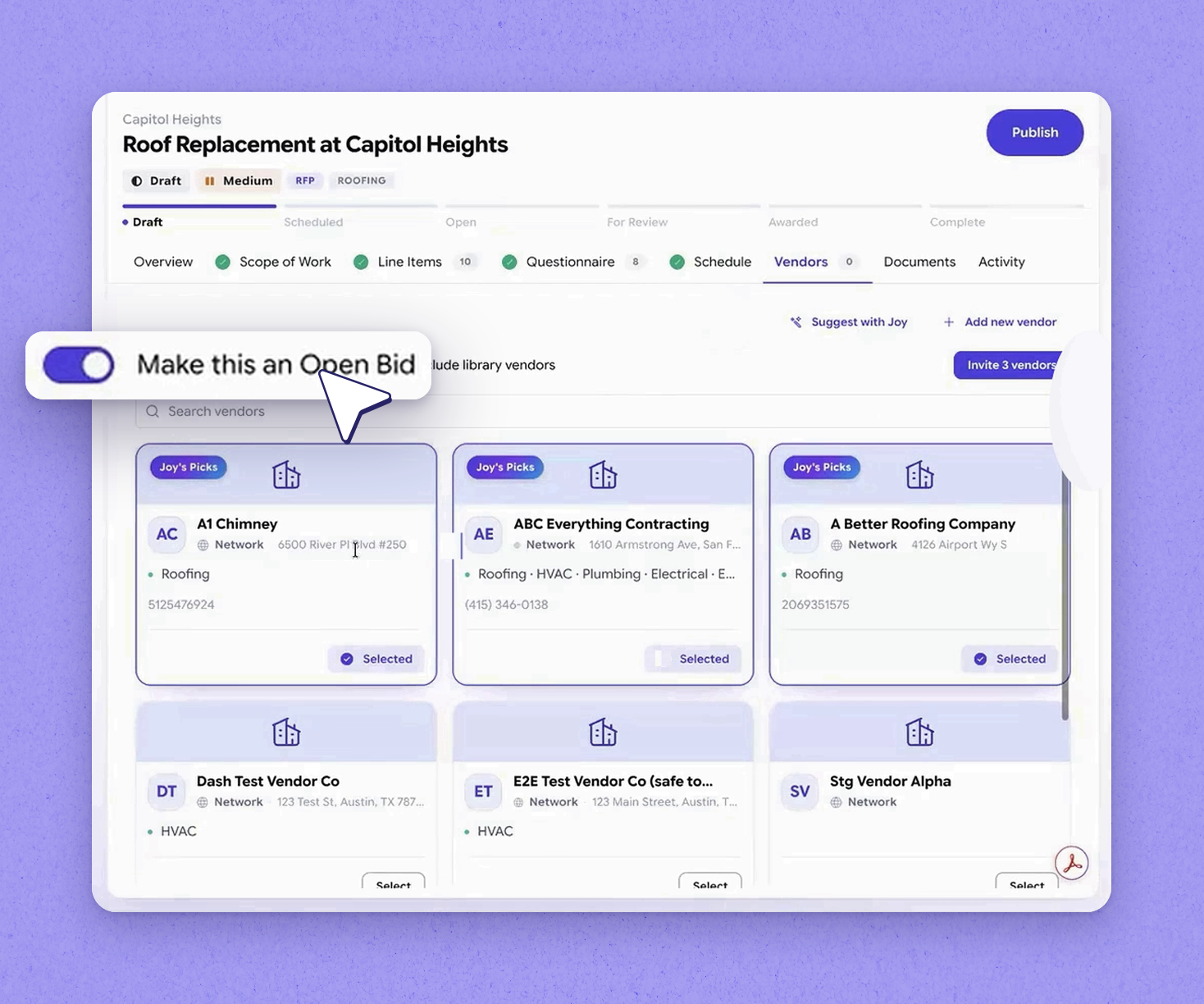
You also have an option to make this a public bid. On a public bid, even though you're still inviting specific vendors to review and bid on the project, you're also opening the sourcing event to every other vendor in your network. Any vendor who services the area for that trade category — roofing, in this example — will see the sourcing event show up as a new opportunity. On a private bid, only your invited vendors can see and bid on the event.
 Keep the bid private
For this example, leave the public bid option unchecked to keep the event private. Doing so means only your three selected vendors are invited to bid. These are the three vendors you want to invite.
 Publish the RFP now
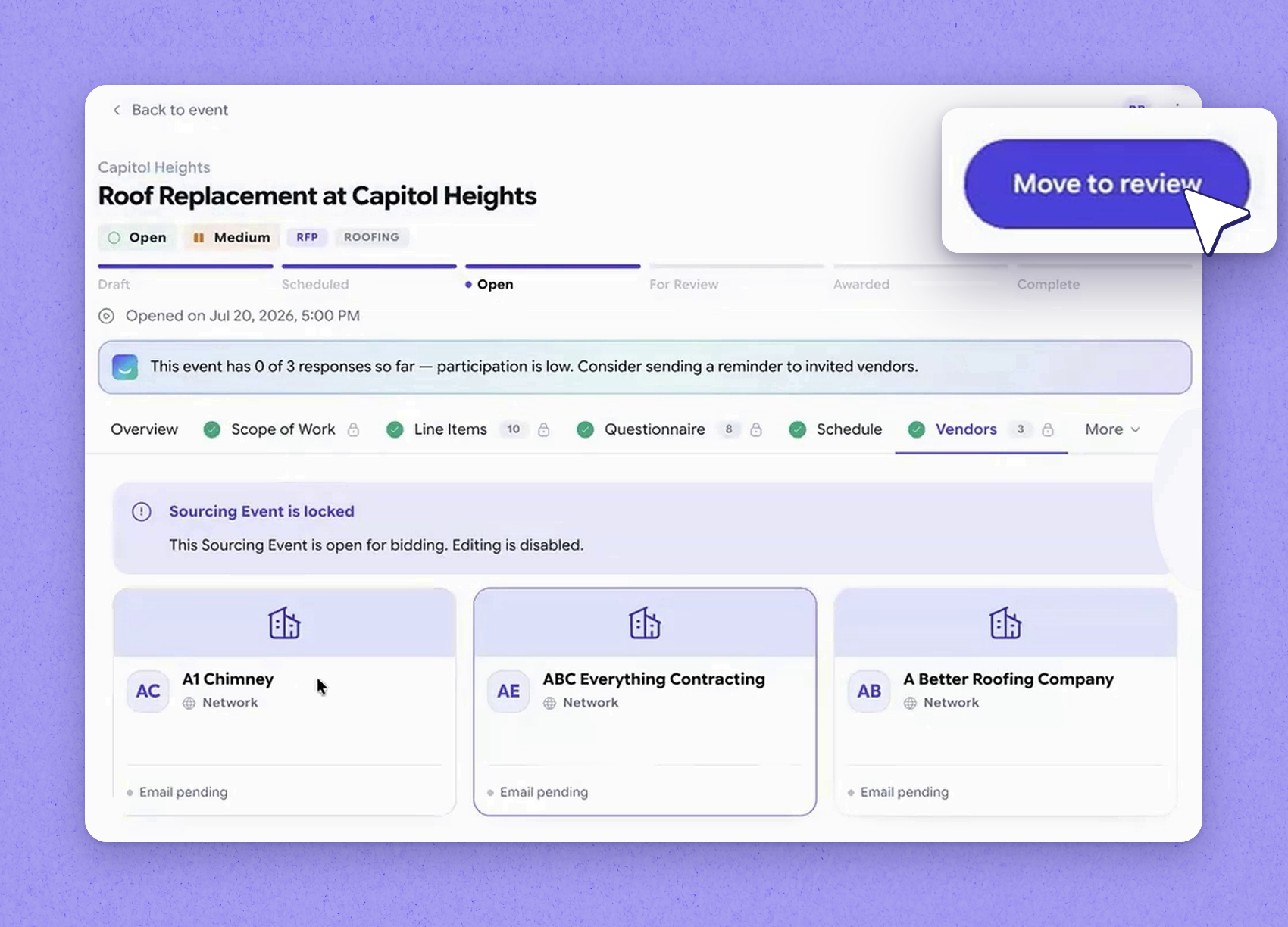
With the setup done, you don't have to wait for the system to run on its schedule — you can publish right now. Choose to publish immediately, and the three invited vendors are notified straight away. From a simple conversation, your sourcing event is now live and ready for responses.
Tip
Publishing now overrides the wait for the scheduled publish date.
| Bid type | Who can see and bid |
|---|---|
| Private | Only the specific vendors you invite to review and bid. |
| Public | Your invited vendors, plus every other vendor in your network who services the area for that trade category — they see the event as a new opportunity. |
Frequently asked questions
How do I add vendors to a sourcing event?
Go to the vendors tab and add vendors by conversing with Joy. Joy suggests top vendors based on their proximity and the kind of work they do, and you can select the ones you want to invite.
What's the difference between a public and a private bid?
On a private bid, only the vendors you invite can review and bid. On a public bid, you still invite specific vendors, but you also open the event to every other vendor in your network who services the area for that trade category, so they see it as a new opportunity.
Do I have to wait for the scheduled date to publish?
No. When set up, the system will automatically send the RFP to invited vendors on the scheduled publish date, but you can also publish immediately instead of waiting. Once published, your invited vendors are notified.