
HappyCo
When vendors respond to a sourcing event, Joy—the AI assistant in Happy Sourcing—helps you review, score, and award each bid so you can make a confident decision. This article walks through how responses show up, how Joy scores them against your criteria, and what happens when you award the winning bid. Prerequisite: you have already run a sourcing event and invited vendors.
 In this article
 See how vendor responses show up
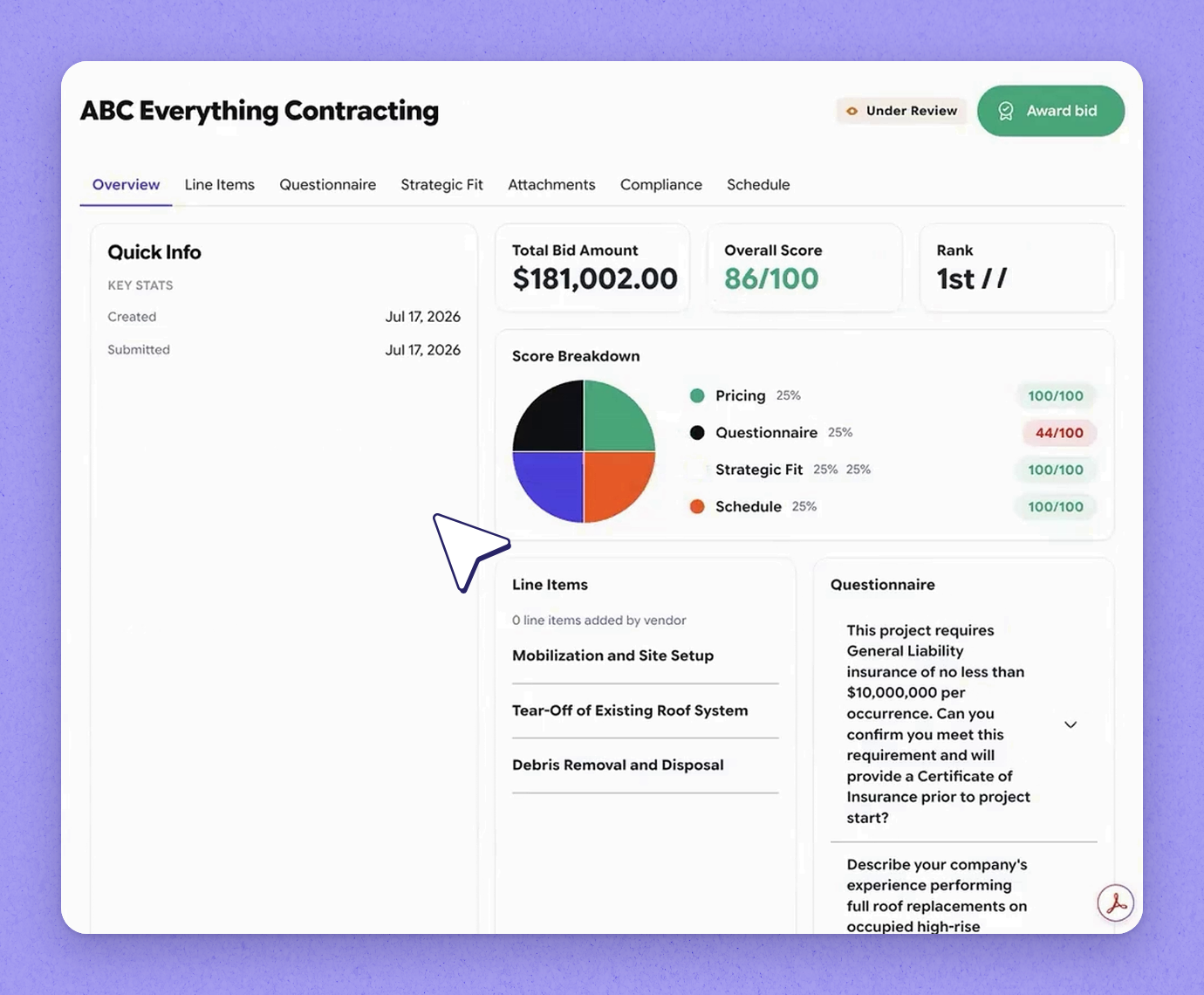
Each sourcing event shows how many vendors you invited and how many have responded. In this example you invited four vendors and one has responded. Click into a response to see the full picture, including an overview summary alongside the scoring.
 Review the score Joy calculates
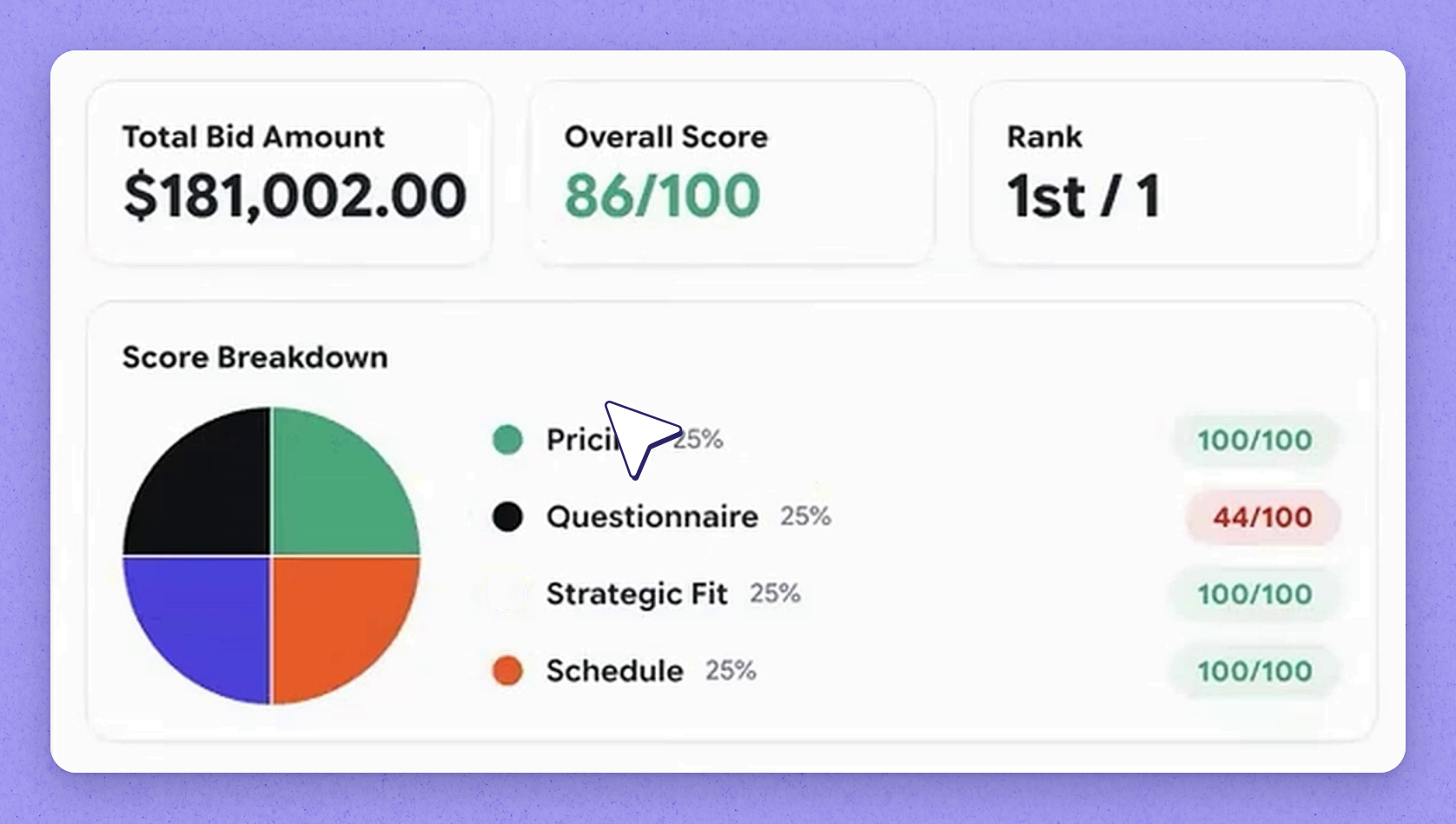
Joy calculates a score across every criterion you defined for the event. From the response you can also view the line-item pricing the vendor provided and see how they answered every question.
 Rate strategic fit against corporate DNA
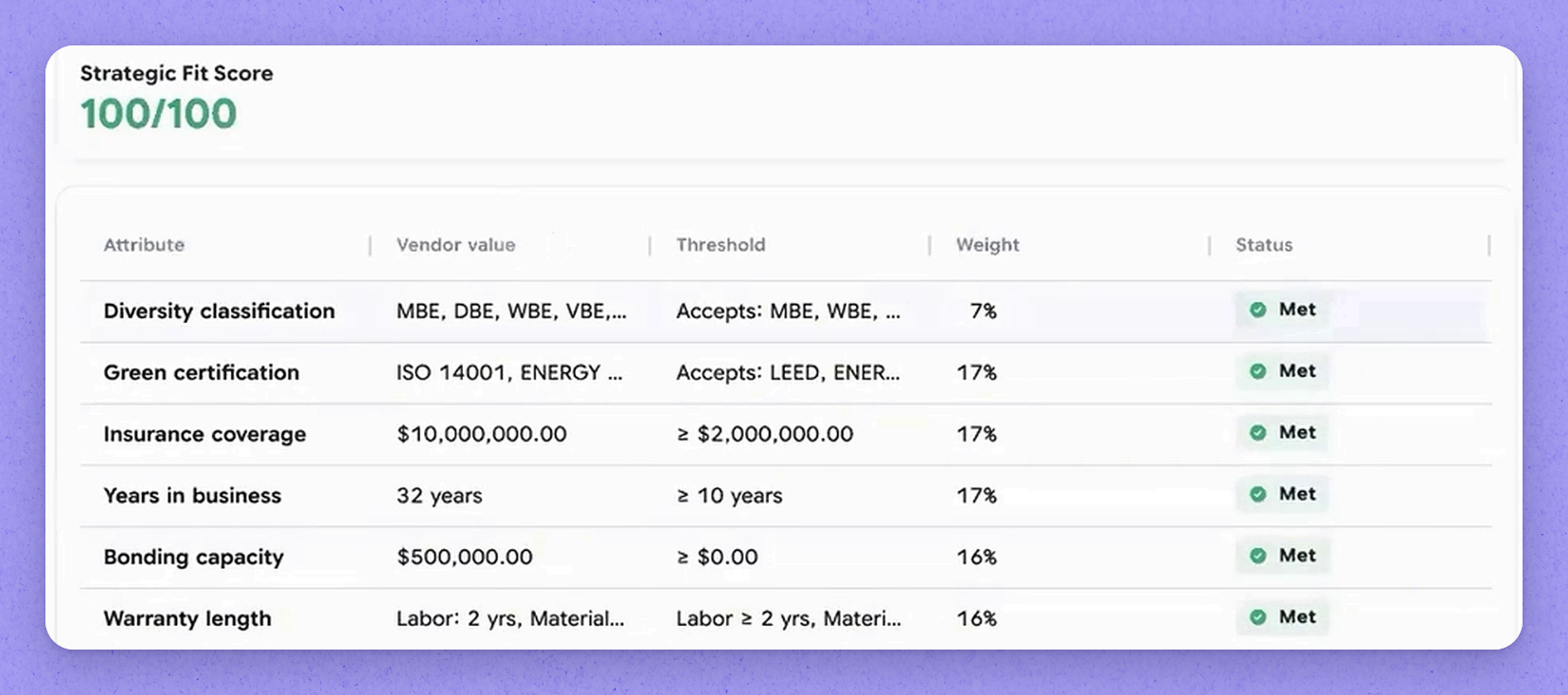
Strategic fit is a criteria set you define—your corporate DNA, the standards you need every vendor measured against. You rate vendors on how well their profile matches what matters to you. This keeps evaluation consistent with the priorities you care about most.
 Check attachments and compliance details
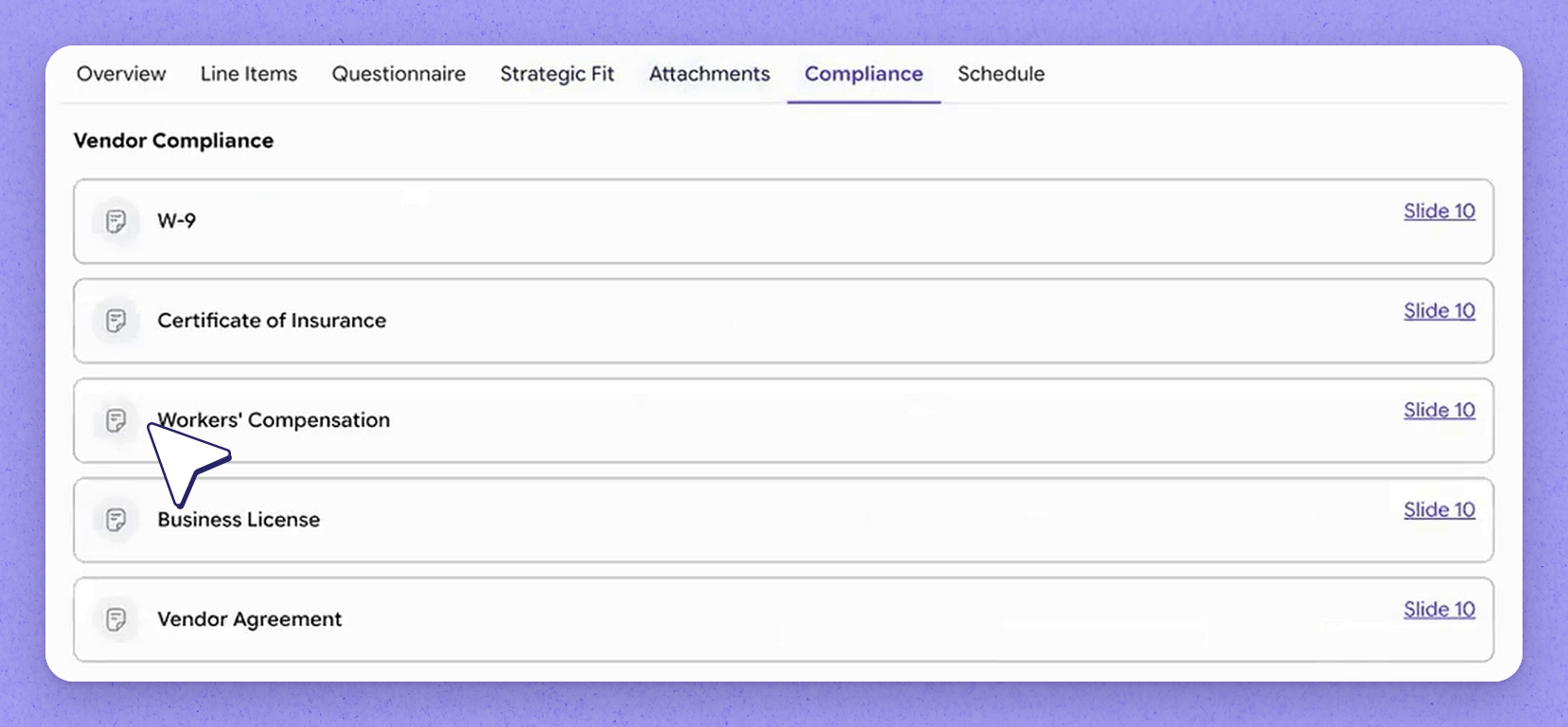
Review any additional attachments the vendor added to their response. You'll also see compliance information pulled straight from the vendor profile, so you can confirm they meet your requirements.
 View the submitted schedule
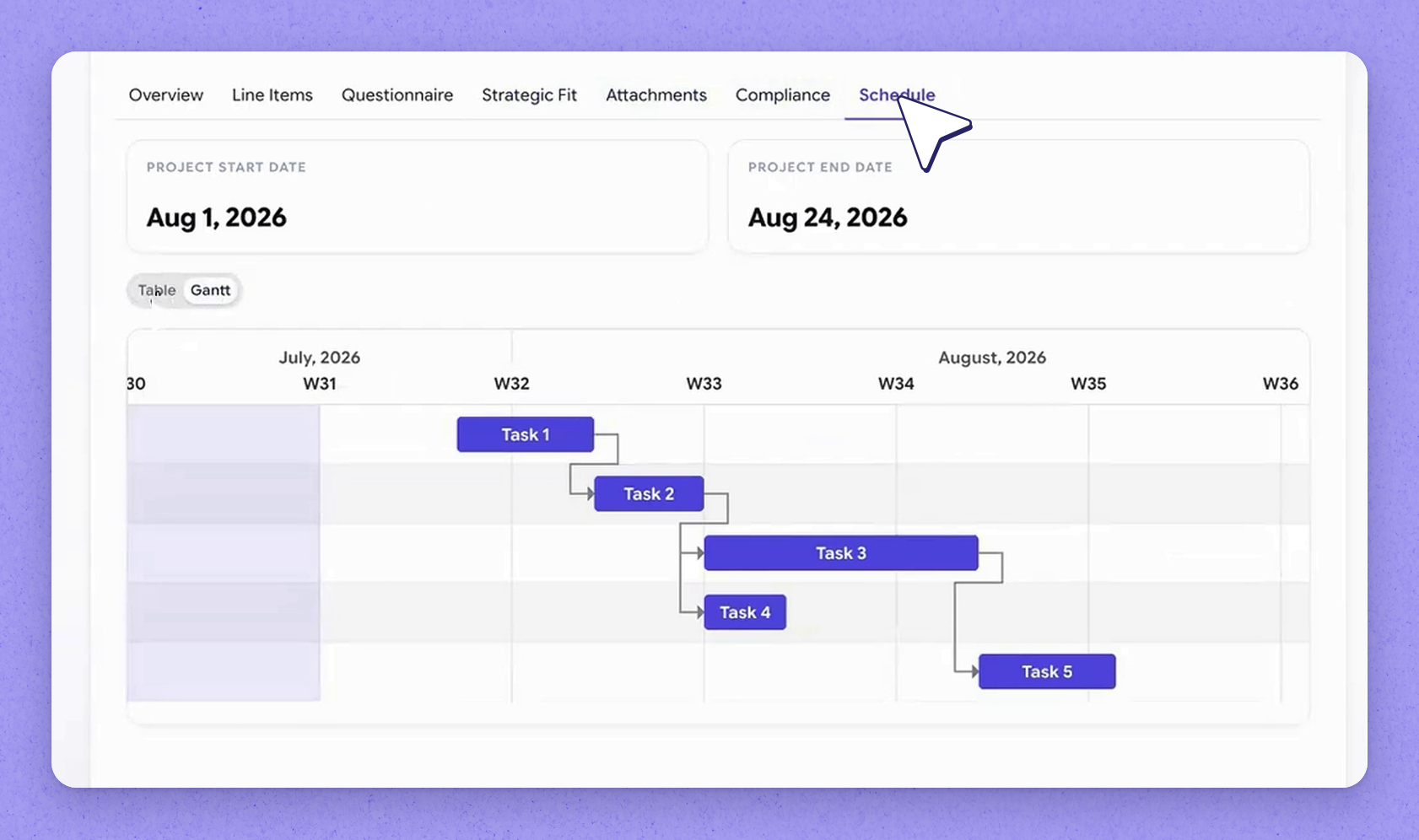
Vendors can submit a schedule with their response. You can view it as a Gantt chart or a Table view to see how the different tasks relate to each other and understand the overall timeline.
 How Joy recommends across vendors
Based on everything in the responses, you can make a decision. Joy weighs every criterion and makes a recommendation. In this example only one vendor has submitted a response, so there is nothing to compare it against yet—but the scoring shifts as other vendors come in and get scored too.
 Award the bid into Happy Asset
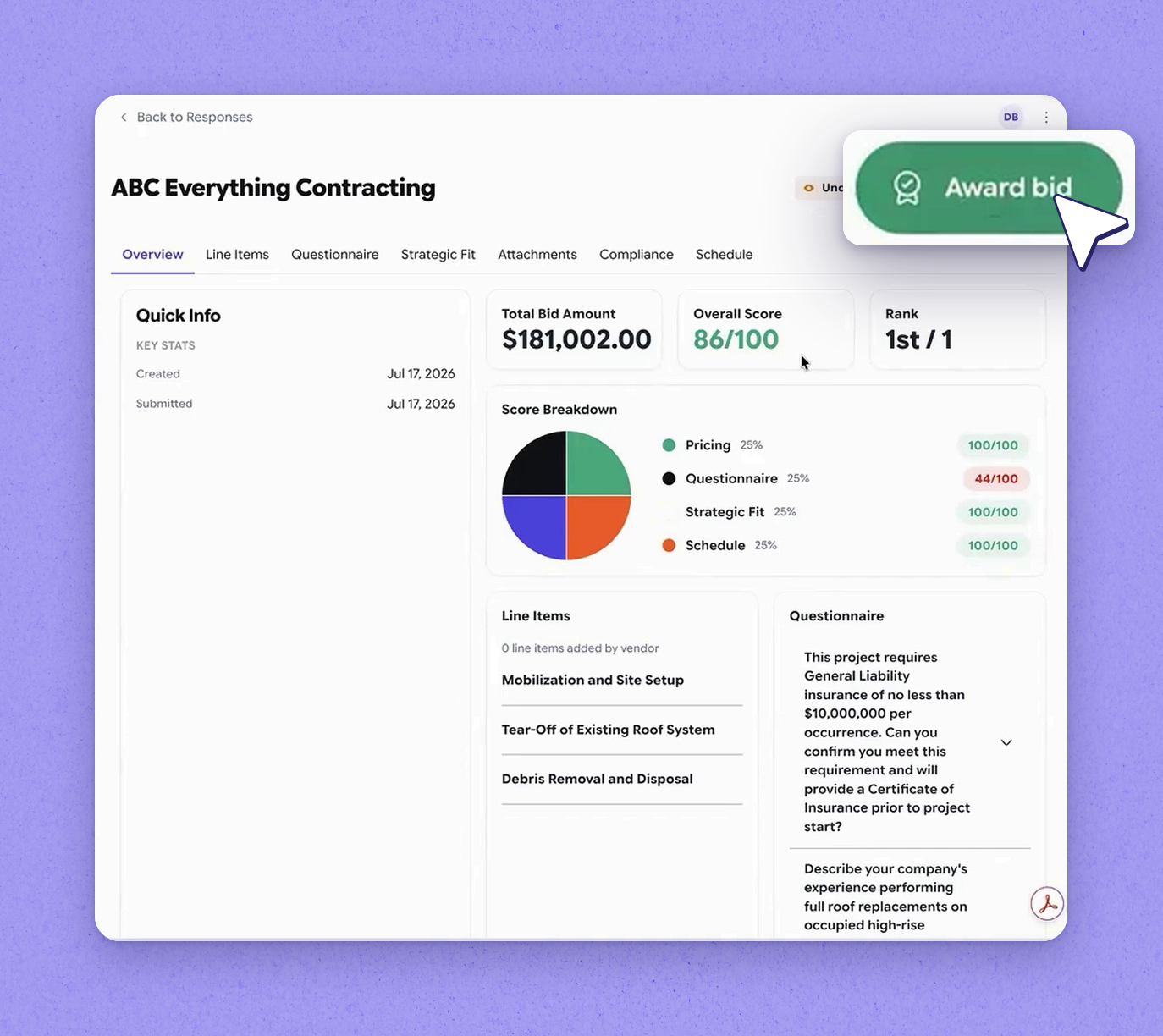
When you're ready, award the bid to your chosen vendor. If the integration is turned on and you are using Happy Asset, the awarded bid translates straight into a project in Happy Asset.
 Tip
Tip
Awarding into Happy Asset requires the integration to be enabled and Happy Asset in use.
Frequently asked questions
How does Joy score a vendor's response?
Joy calculates a score across every criterion you defined for the event, including strategic fit against your corporate DNA. The scoring shifts as other vendors submit responses and get scored too.
Why isn't there a comparison for my event?
Comparison depends on more than one vendor responding. In an event where only one vendor has submitted, there's nothing to compare it against yet.
What happens when I award a bid?
When you award the bid, it translates straight into a project in Happy Asset—provided that integration is turned on and you are using Happy Asset.
How can I view a vendor's submitted schedule?
You can view the schedule as a Gantt chart or a table, which shows how the different tasks relate to each other and the overall timeline.