
 happy-property
Document Vault, part of HappyCo's compliance offering, keeps every compliance obligation — pool certificates, fire tests and more — in one place across the properties you manage. The dashboard shows your compliance rate and what's expired, expiring or missing, so you can see where attention is needed and clear obligations from either desktop or mobile. It counts only the properties you have access to.
 In this article
 Understand the compliance dashboard
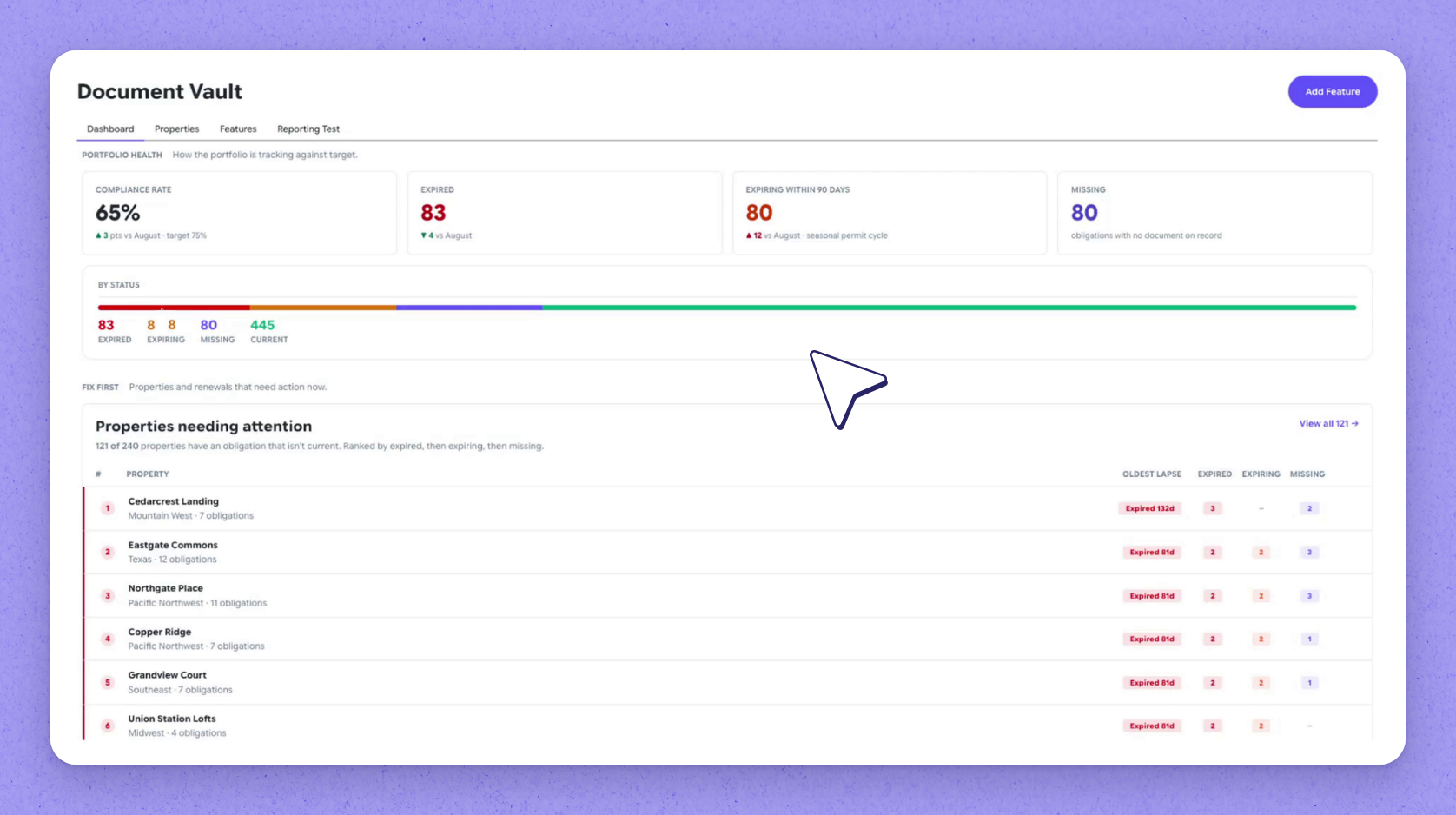
The Document Vault dashboard brings every property's compliance obligations into one view. It shows your compliance rate and what's expired, expiring or missing, counting only the properties you have access to. Properties that need attention are ranked worst first.
 Open a property's obligations
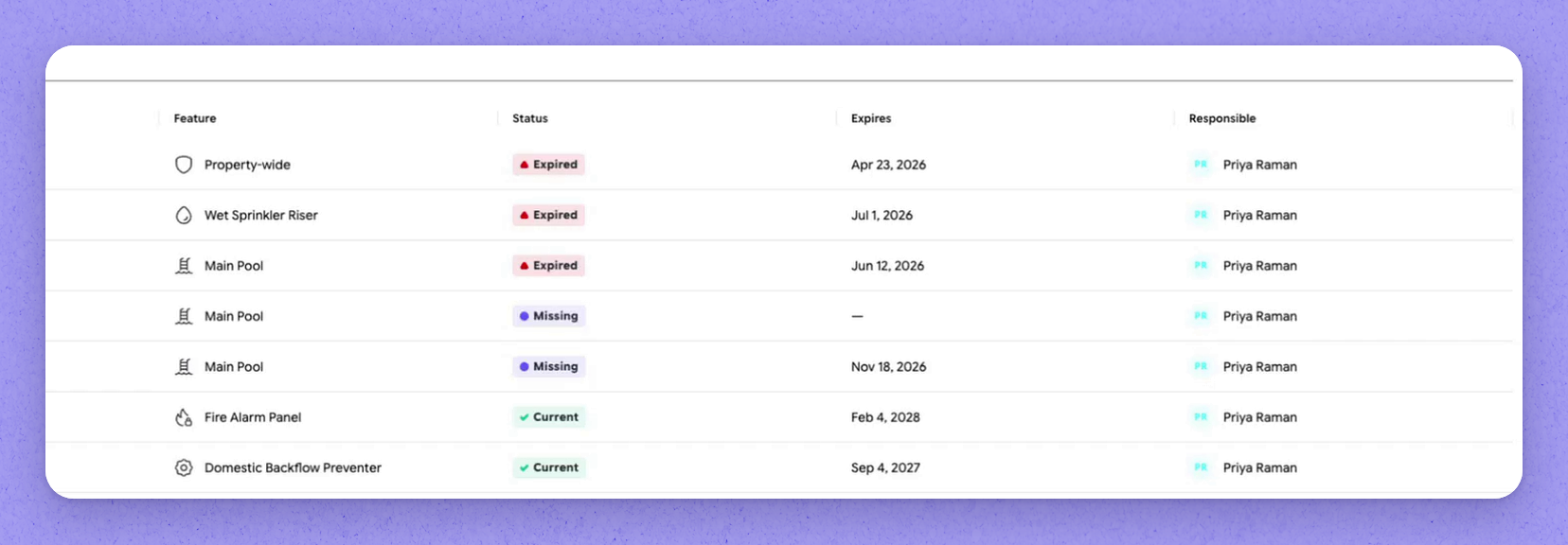
Open a property to see each of its obligations, most urgent first. Each one shows what's required, how often, when it expires and who's responsible.
 Add an asset to create obligations
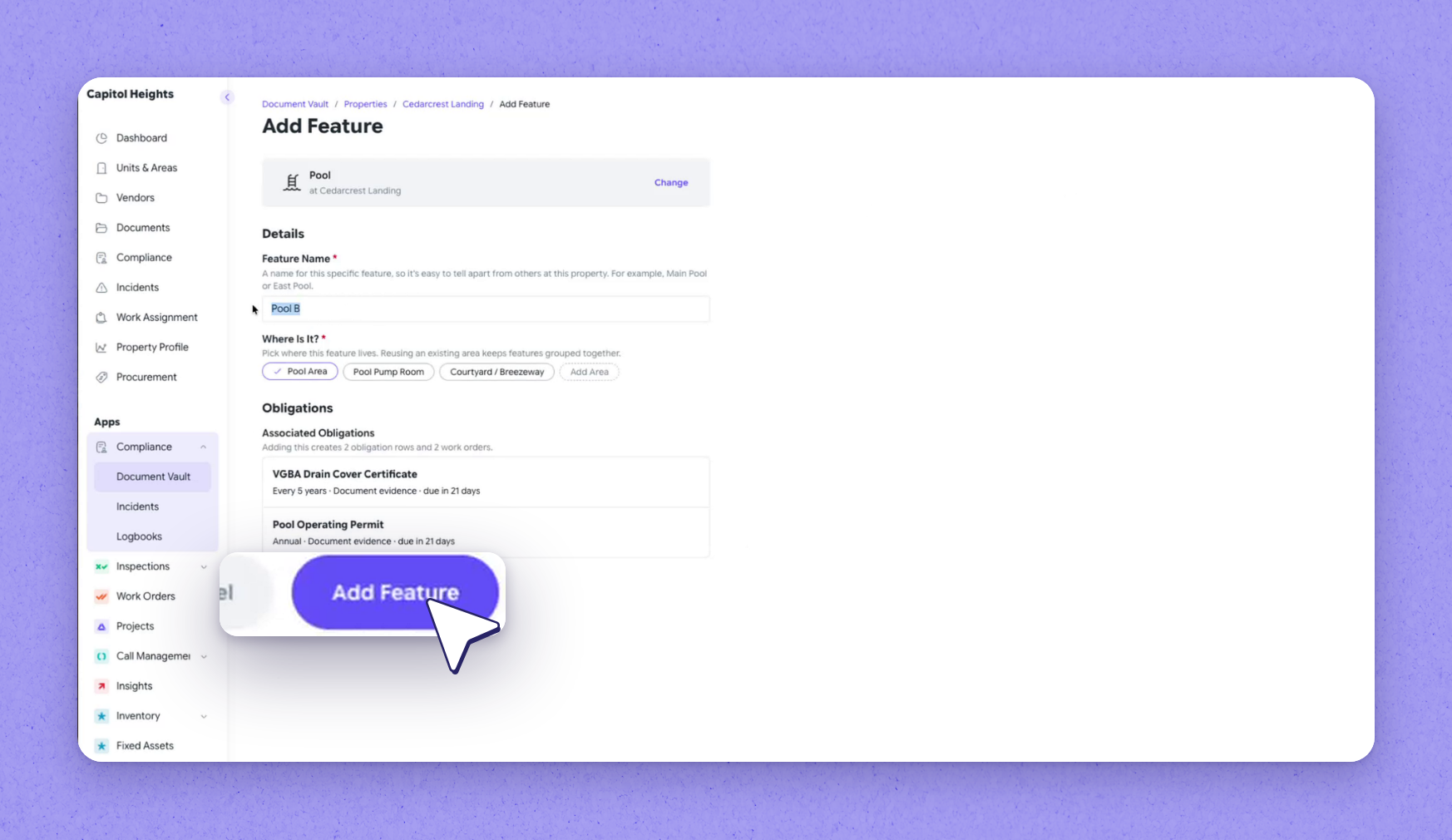
Obligations come from what's on the property, so add the asset it relates to. When you add a pool, Document Vault lists what it brings:
- A drain cover certificate
- An operating permit
- Matching work orders
Name the asset and confirm where it is, then add it. Both obligations appear on the property straight away, marked missing.
 Upload a document on desktop
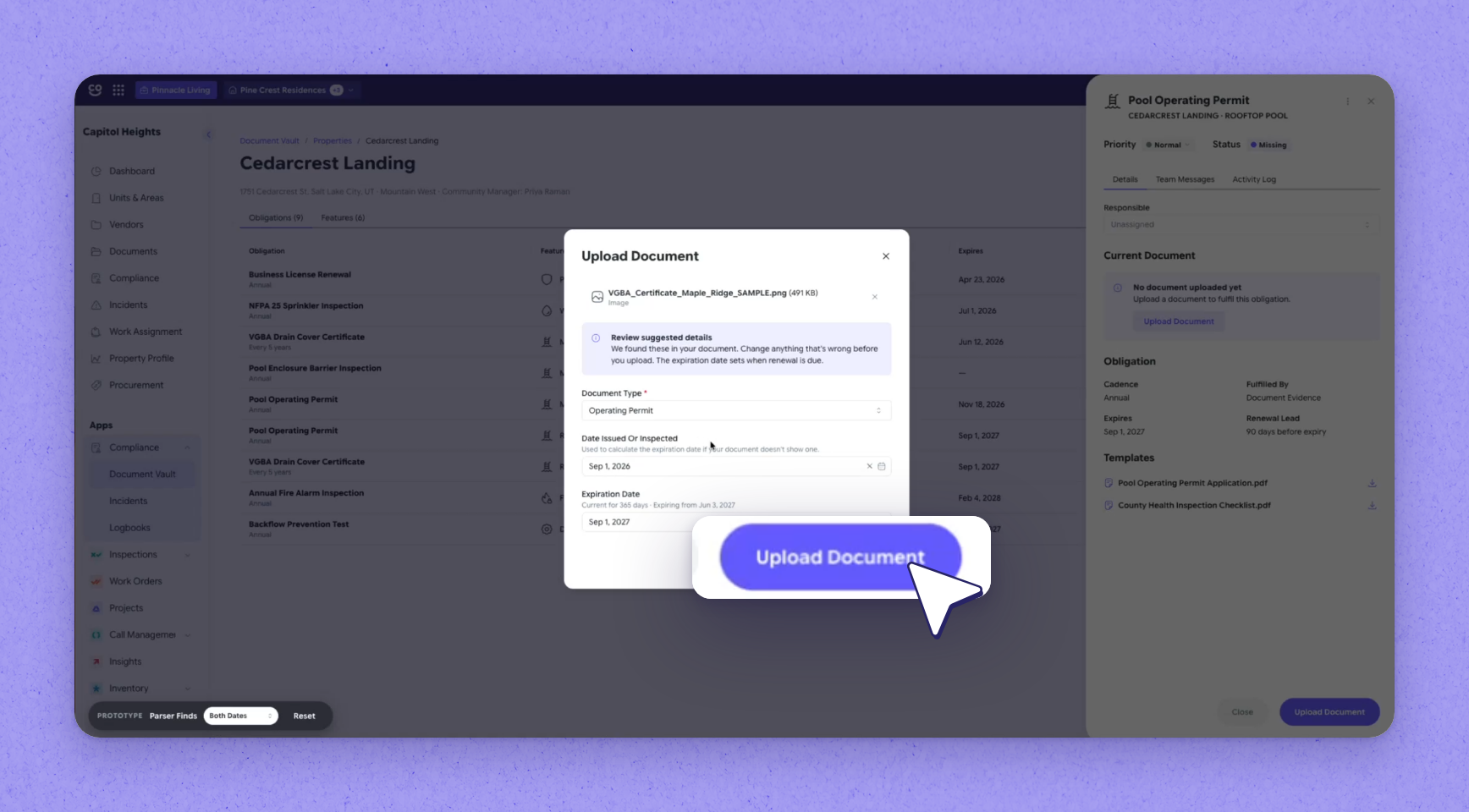
Open the missing obligation and choose Upload Document, then select the file. Document Vault reads the file and suggests the document type, issue date and expiry for you to confirm. Once confirmed, the obligation shows as current with its valid-until date (in the recording, September 1st, 2027).
 Tip
Tip
You can upload a new version any time, even before the current one expires.
 Capture evidence on mobile
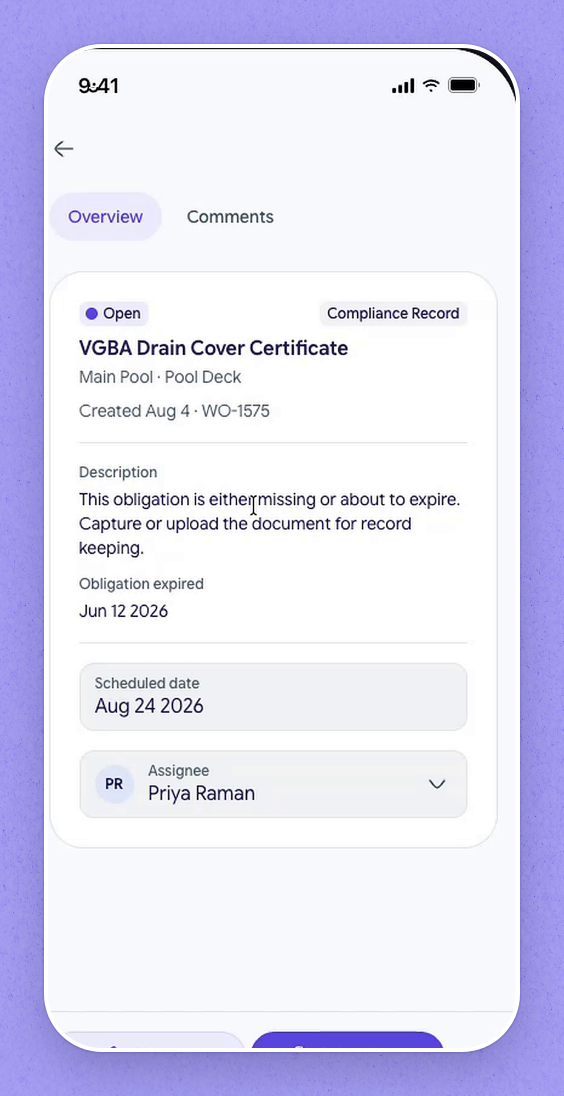
On site, compliance work arrives in the work list as Compliance Record work orders. Open one to see what it covers, when it was due and who it's assigned to. Upload a copy or take a photo of the document — the photo is saved as submitted evidence. Mark it complete, and the work order shows complete.
Tip
Everything captured on site shows up as submitted evidence in the desktop view.
| Item | What it is |
|---|---|
| Drain cover certificate | A compliance obligation created for the pool |
| Operating permit | A compliance obligation created for the pool |
| Work orders | Matching work orders for the pool's obligations |
Frequently asked questions
Can I clear an obligation from my phone?
Yes. Compliance work arrives in the mobile work list as Compliance Record work orders. Open the work order, upload a copy or take a photo of the document, and mark it complete.
Where does a photo taken on site appear?
A photo taken on mobile is saved as submitted evidence, and everything captured on site shows up as submitted evidence in the desktop view.
Why does a new property show obligations as missing?
Obligations come from the assets on a property. When you add an asset such as a pool, Document Vault creates its obligations immediately and marks them missing until you upload the required documents.
Do I have to wait until a document expires to replace it?
No. You can upload a new version of a document at any time, even before the current one expires.