
 happy-property
Inspections can run to dozens of items across several sections, and the inspection search filters a checklist down to just what you need. Open any inspection, open or completed, type a keyword, and only the matching sections and items remain so you can mark or review them without scrolling. This article covers searching during an inspection you're completing and searching a past inspection you're auditing.
 Search and filter inspection items
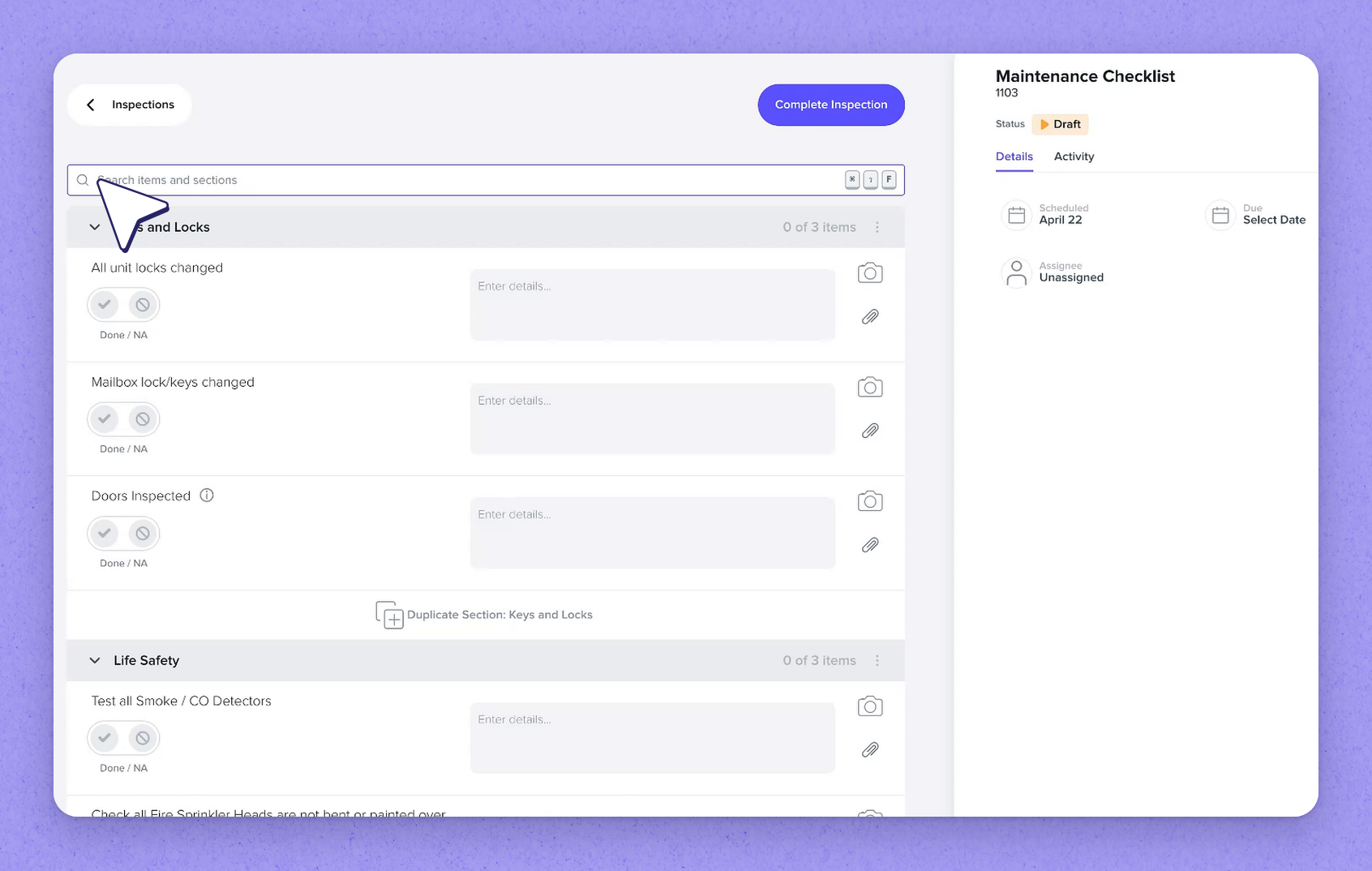
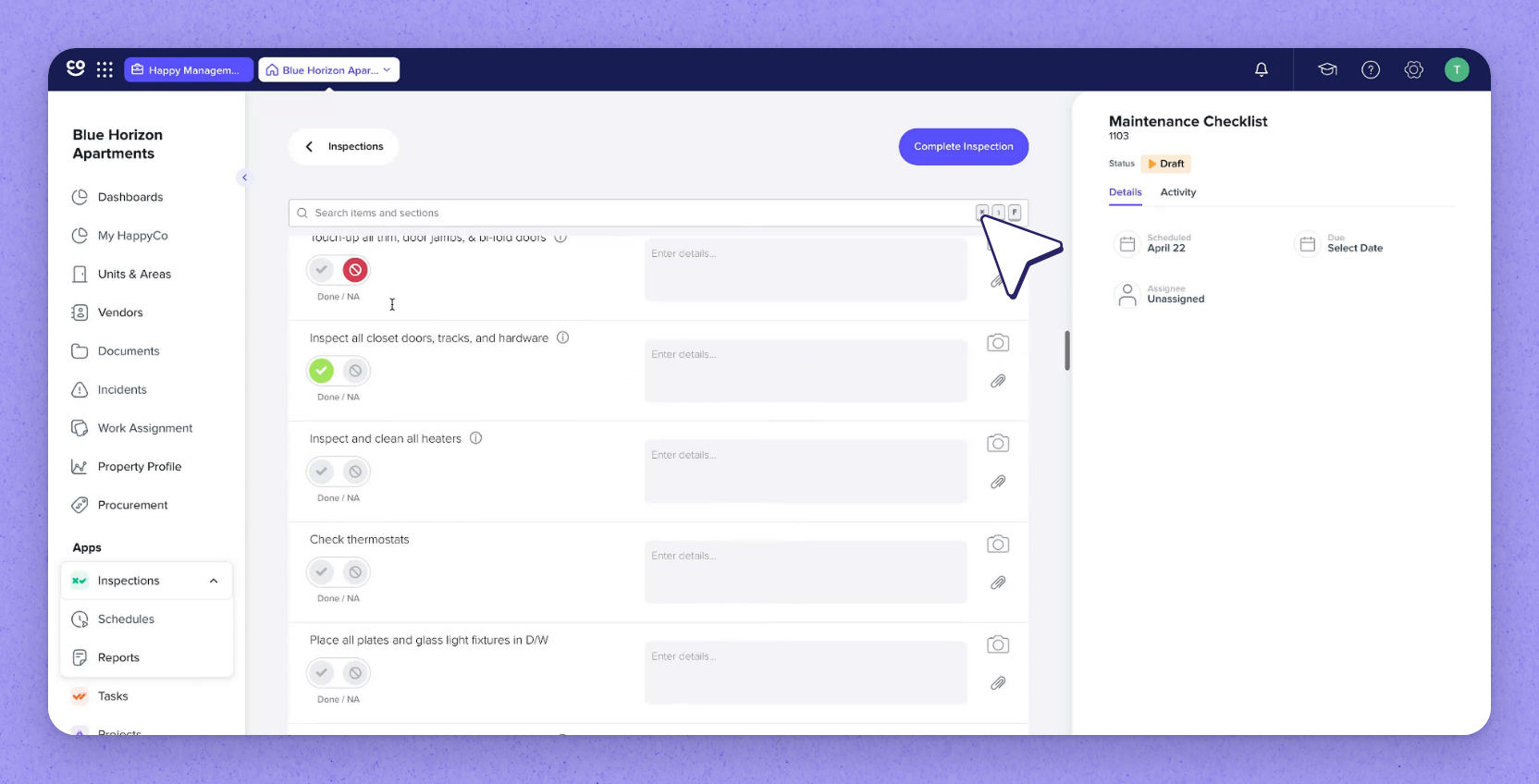
Open any inspection, open or completed, and find the search bar at the top of the checklist. Type a keyword to filter by section or item name.
Searching 'Keys' matches the Keys and Locks section by name; searching 'door' leaves only the matching items, which can span several sections. You can mark those filtered items right there without scrolling through the rest.
 Clear the search to complete
While a search is active, Complete Inspection is unavailable, because completion checks every section, not just the ones shown. Clear the search with the X to bring the full inspection back; your answers are kept and Complete Inspection becomes available again.
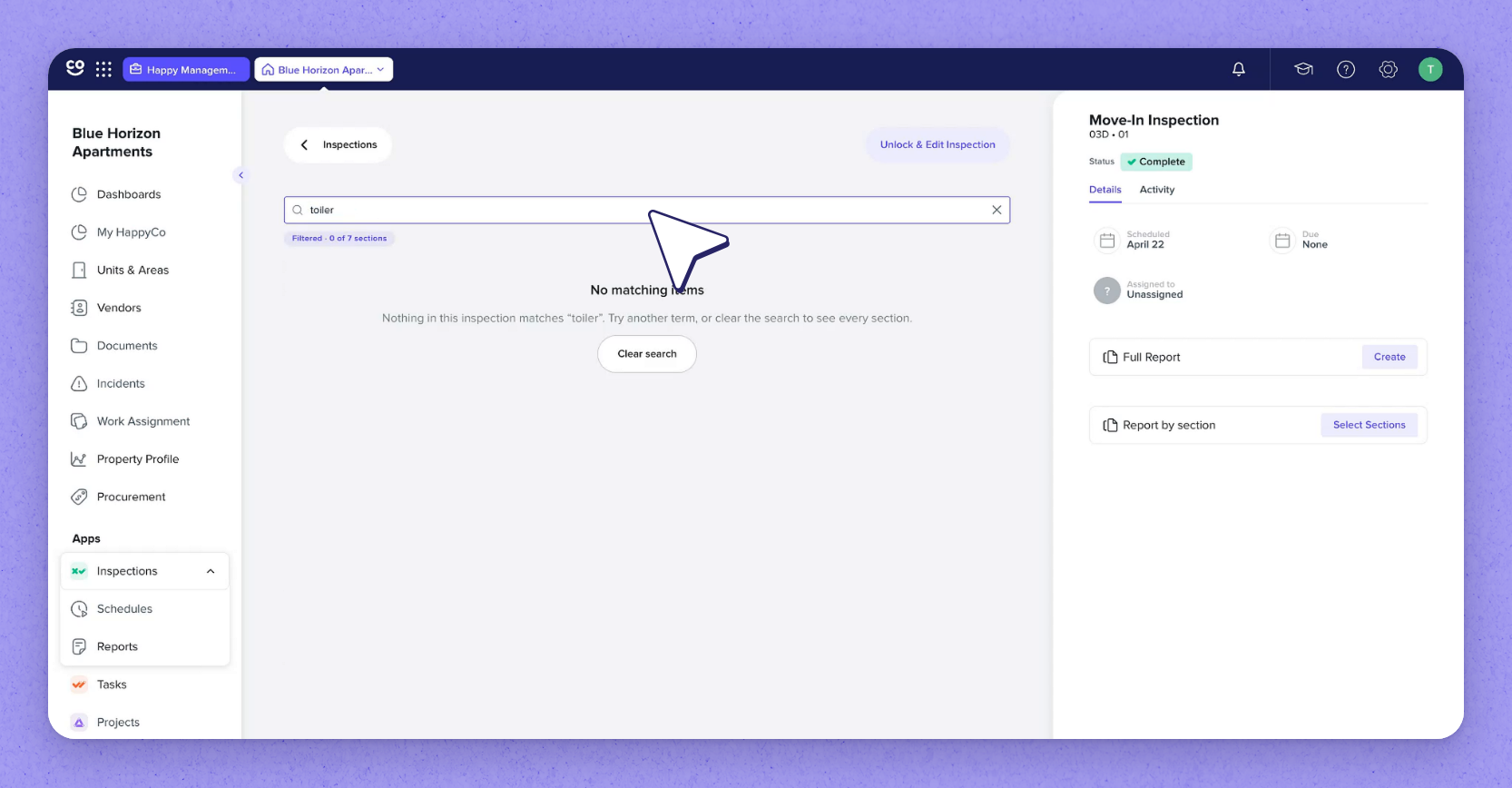
If nothing matches a keyword (such as 'tires'), you'll see a No matching items message. Select Clear search to bring every section back.
 Search completed inspections when auditing
Search works in completed inspections too. Filter the inspection list to Complete, then open the one you want to review. Search for a section name, such as Bathroom, or narrow to a single item, such as Toilet, to check what was recorded.
Frequently asked questions
Why can't I complete the inspection while a search is active?
Completion checks every section, not just the ones shown by your search. While a search is filtering the checklist, Complete Inspection is unavailable. Clear the search with the X and Complete Inspection becomes available again.
Does clearing the search lose the answers I entered?
No. When you clear the search, the full inspection returns and your answers are kept.
Is inspection search available in templates and on mobile?
Search is coming soon to inspection templates and to inspections on mobile.