
HappyCo
This guide walks you through building out the core components of a sourcing event in HappyCo — the scope of work, line items, and questionnaire that define what vendors will be asked to price and respond to. As the sourcing manager, you can build each component manually, paste in a template, or let Joy, an intelligent agent, generate them for you. This example follows an RFP for a roof replacement, and closes with setting the event schedule.
 In this article
 Build the scope of work
With the event shell created, your next task as a sourcing manager is to build the scope of work — defining exactly what you're looking for. You have three ways to do this: type it out manually, paste in an existing template and adjust it, or let Joy generate it for you. In this example, we'll use Joy to generate the scope of work.
 How Joy generates the scope
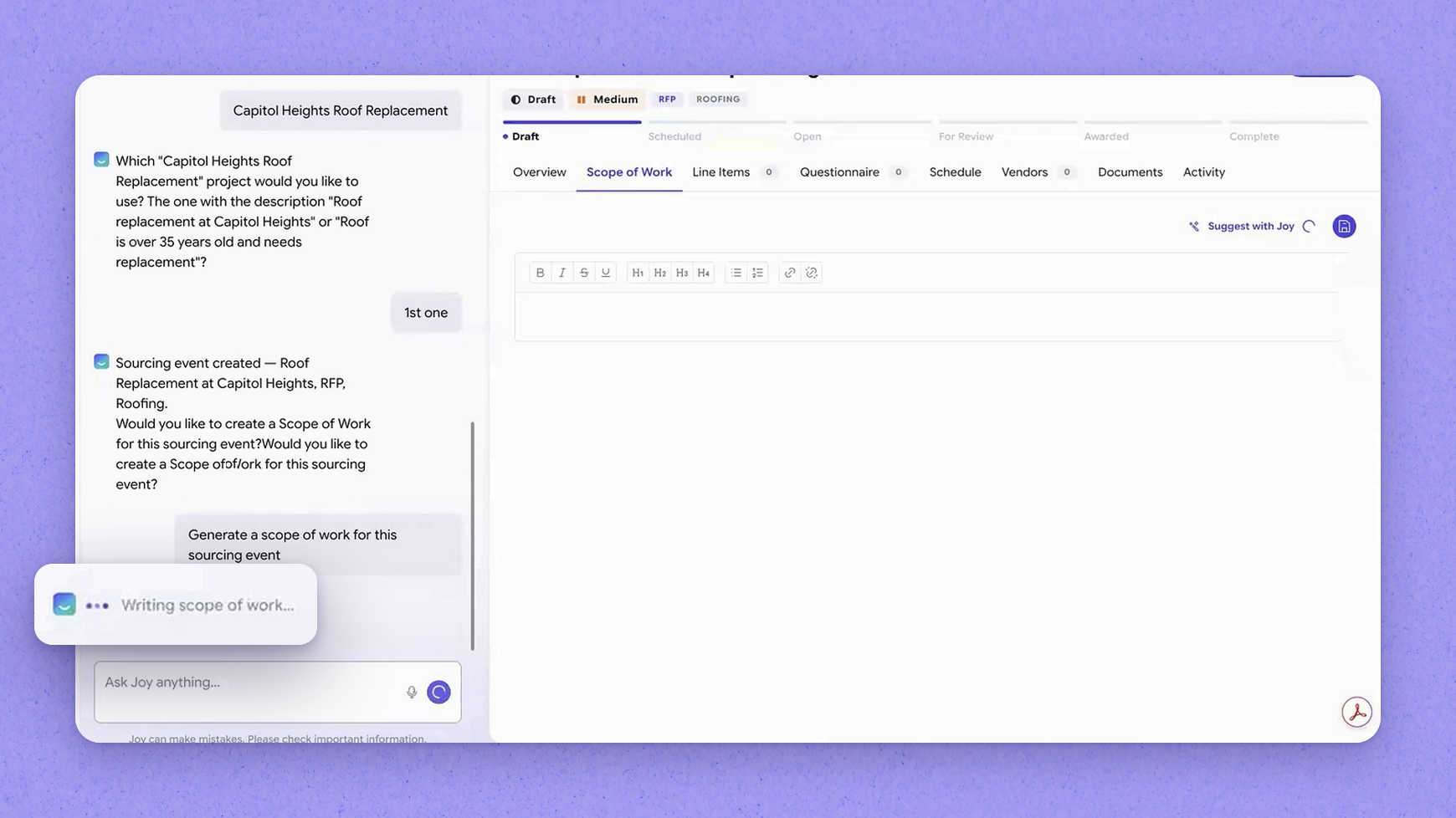
Joy works like an intelligent agent. It looks back at similar past projects — such as roofing projects you may have run before — and scans for any SOPs (standard operating procedures) defined at the company level, at the property level using property DNA, and at the project level for any scope-of-work instructions already on file. It takes all of that input, along with the parameters you provided directly in your prompt, and generates a detailed scope of work. For example, ten million dollars in general liability was pulled straight from the prompt.
 Review and edit the scope
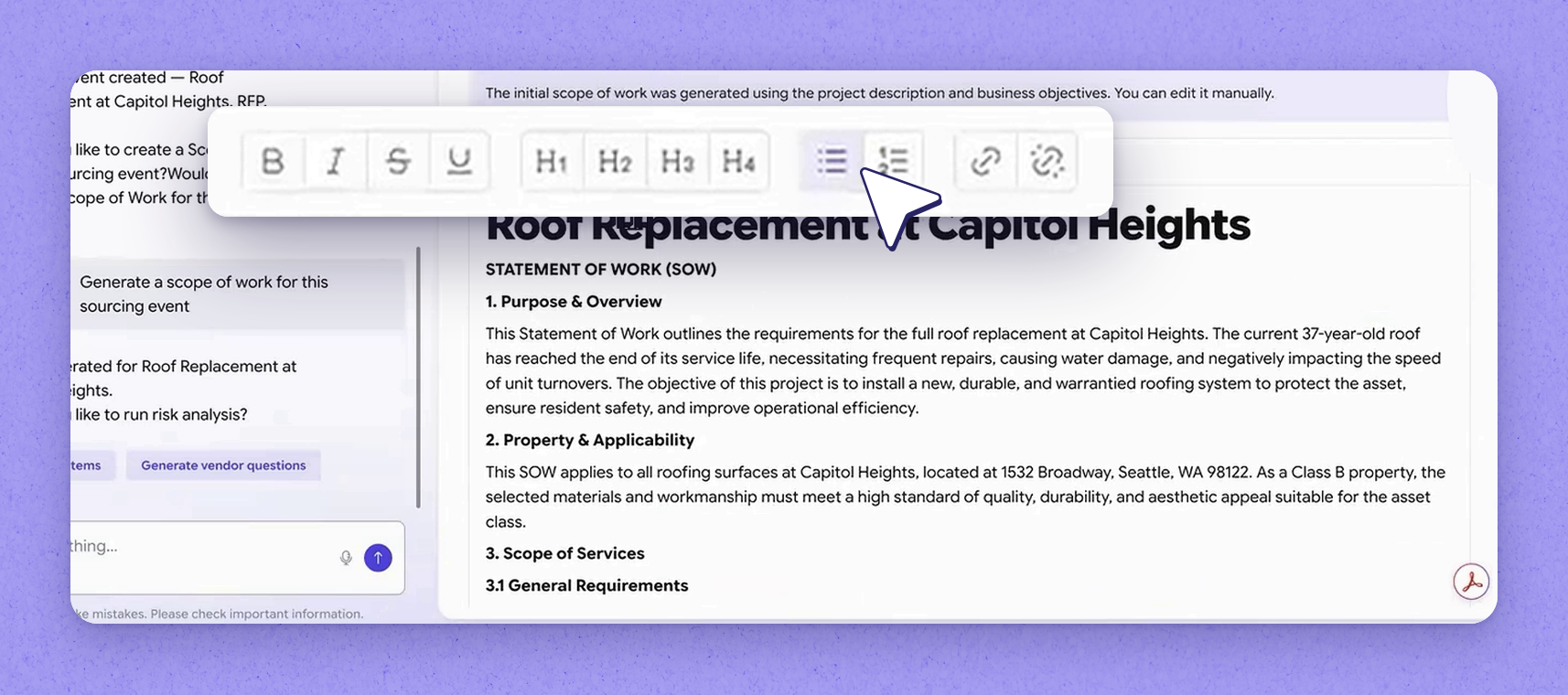
Once Joy proposes the scope, you can review it and make changes. It's a what-you-see-is-what-you-get text area, so you can format it and clean it up however you like. When you're happy with Joy's proposal, move on to the next step.
 Extract the line items
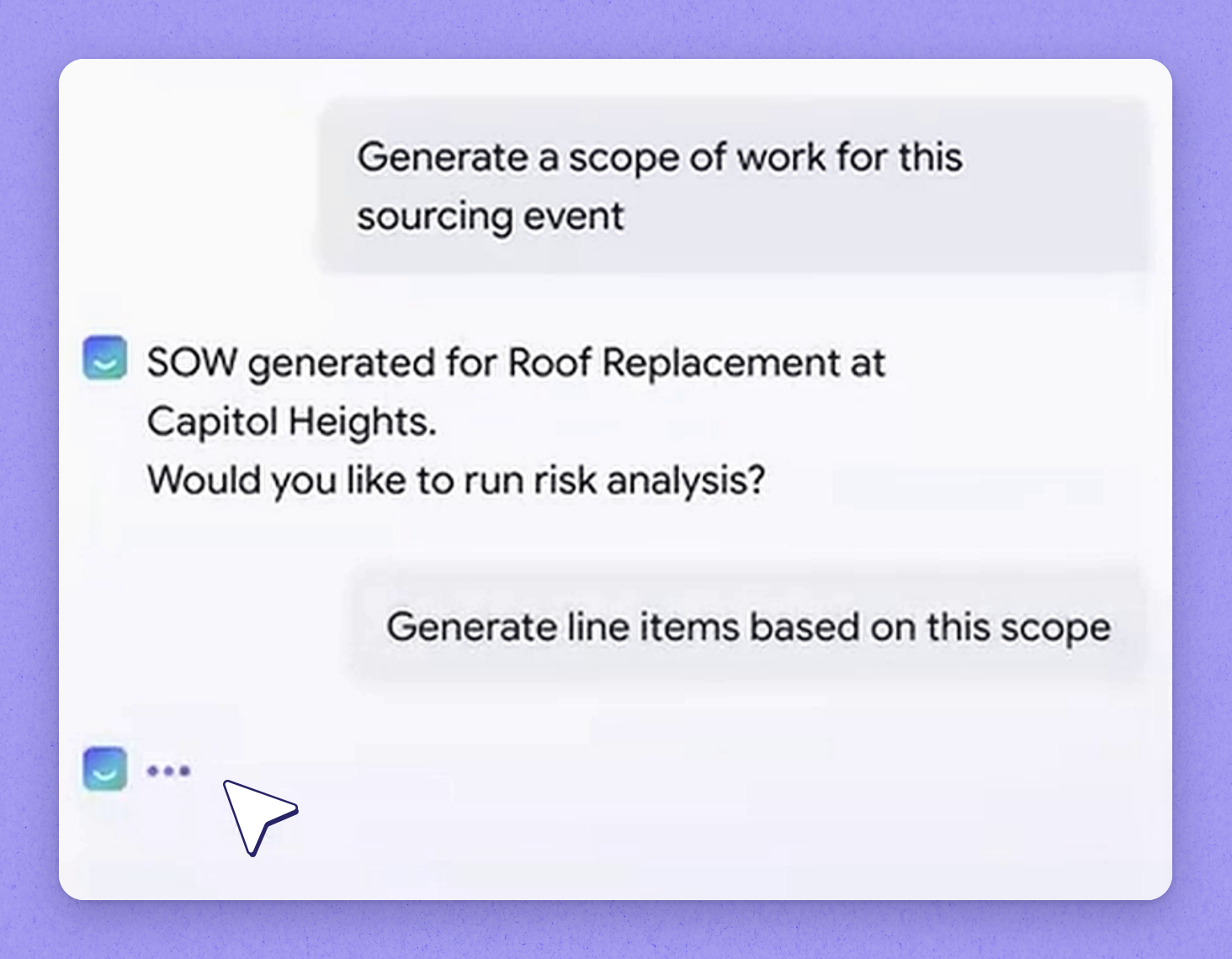
Next, extract the line items — the combination of products and services the vendor will provide. This is the part you'll have vendors price for you: for a roof replacement, that means breaking out the different pieces along with material cost and labor cost. You can create line items manually one by one, or let Joy run through the scope and extract everything meaningful enough to be priced. Joy covers both products and services, and in this example it built ten line items.
 Enter estimated pricing
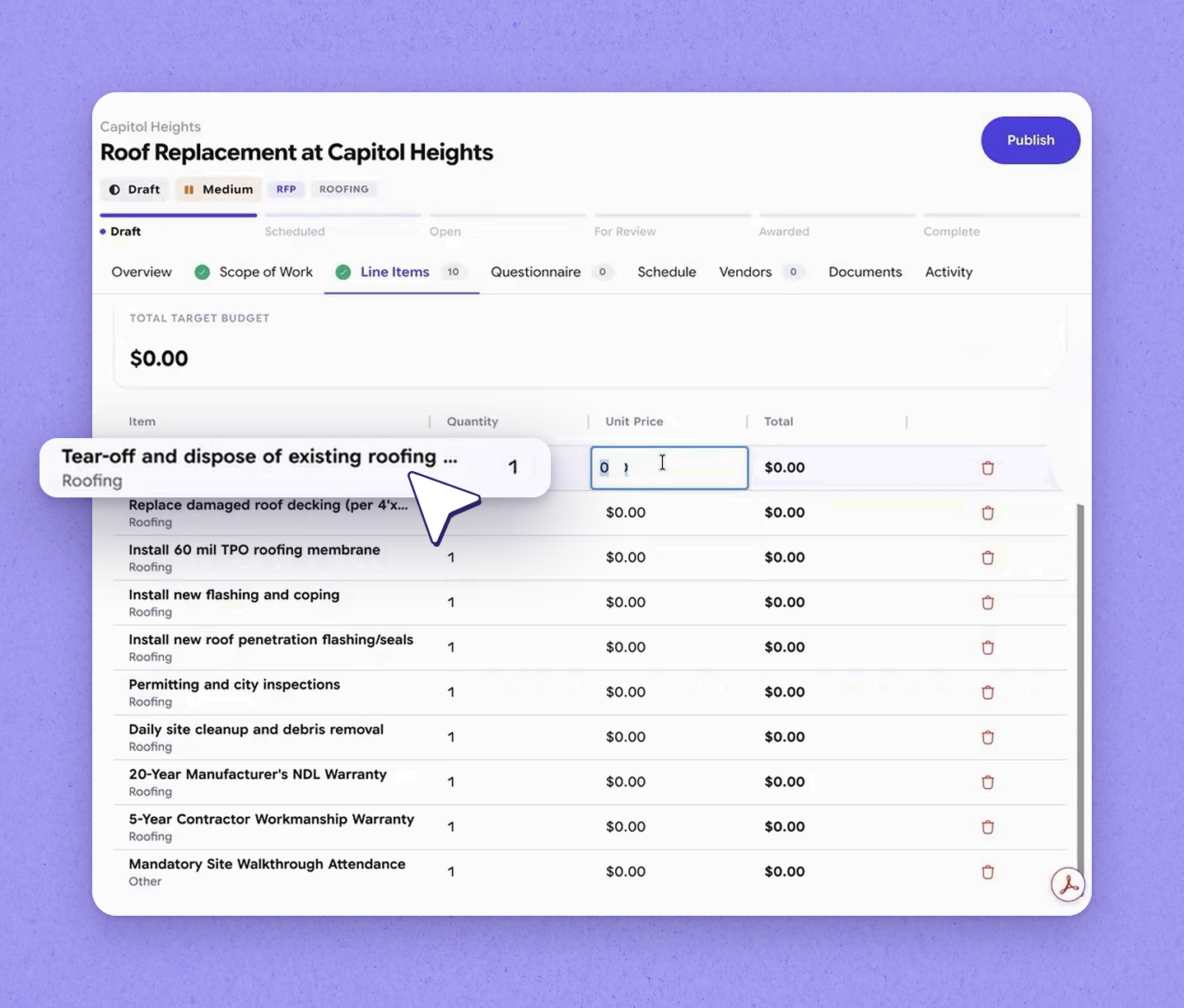
You can enter an estimated price against each line item, which becomes your baseline later when you compare the bids. You can also leave it blank if you'd rather not put any pricing in. Even when you do add pricing, it's never shared with vendors — they start from a clean slate and provide their own pricing for everything.
 Tip
Tip
Estimated pricing is for your own bid comparison only and is never visible to vendors.
 Build the questionnaire
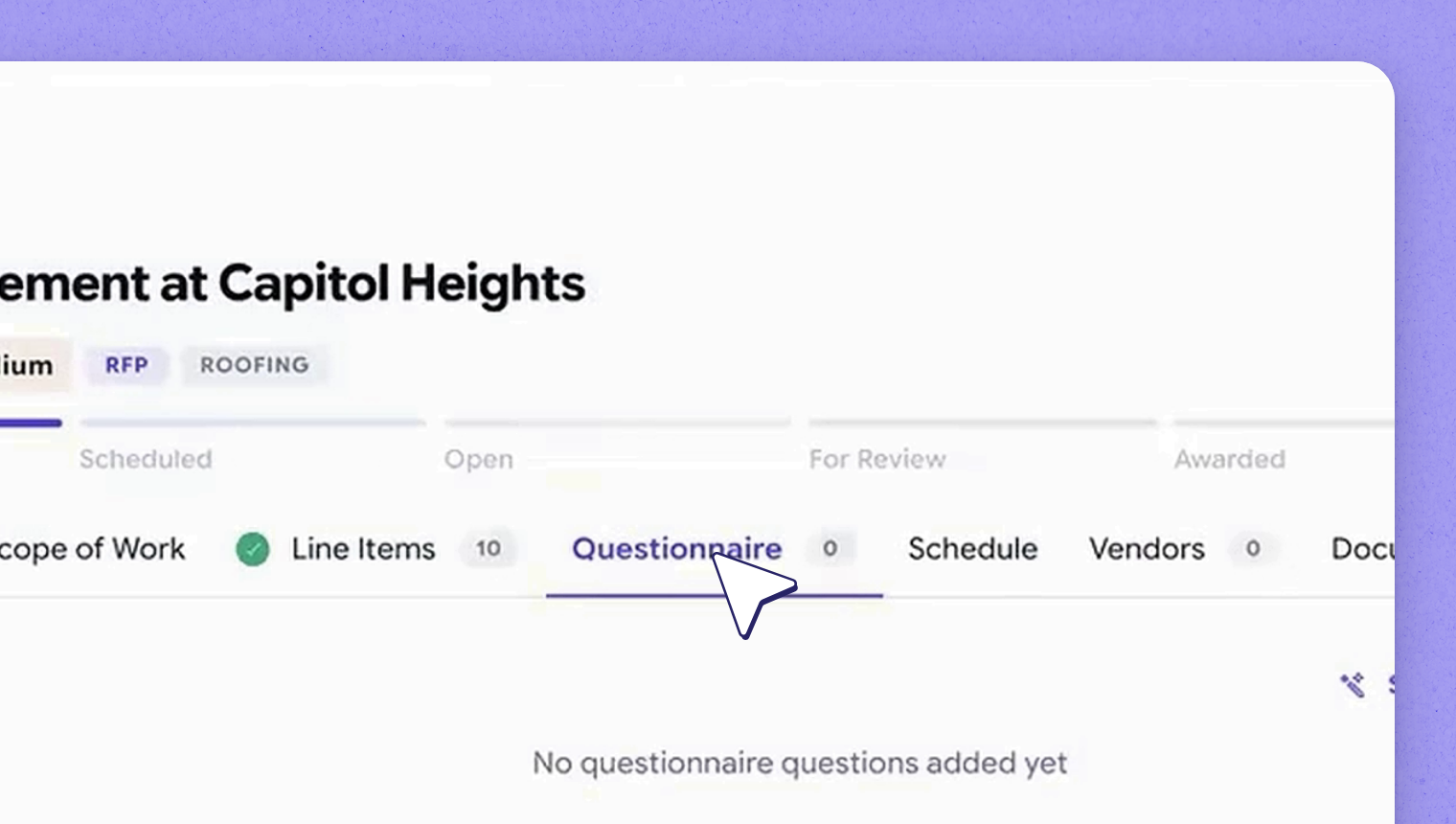
The questionnaire captures the other criteria you want to know about a vendor — how long they've been in business, whether they can provide references, whether they carry the minimum insurance you're asking for, whether they're certified for the work, and whether they'll use subcontractors. There's a whole range of things you might want to ask so you can make an informed decision. HappyCo includes an extensive questionnaire template library, so if you already have your own set of questions you can load them into the library and pull them straight into this event. Or you can ask Joy to build the questionnaire for you.
 How Joy generates the questionnaire
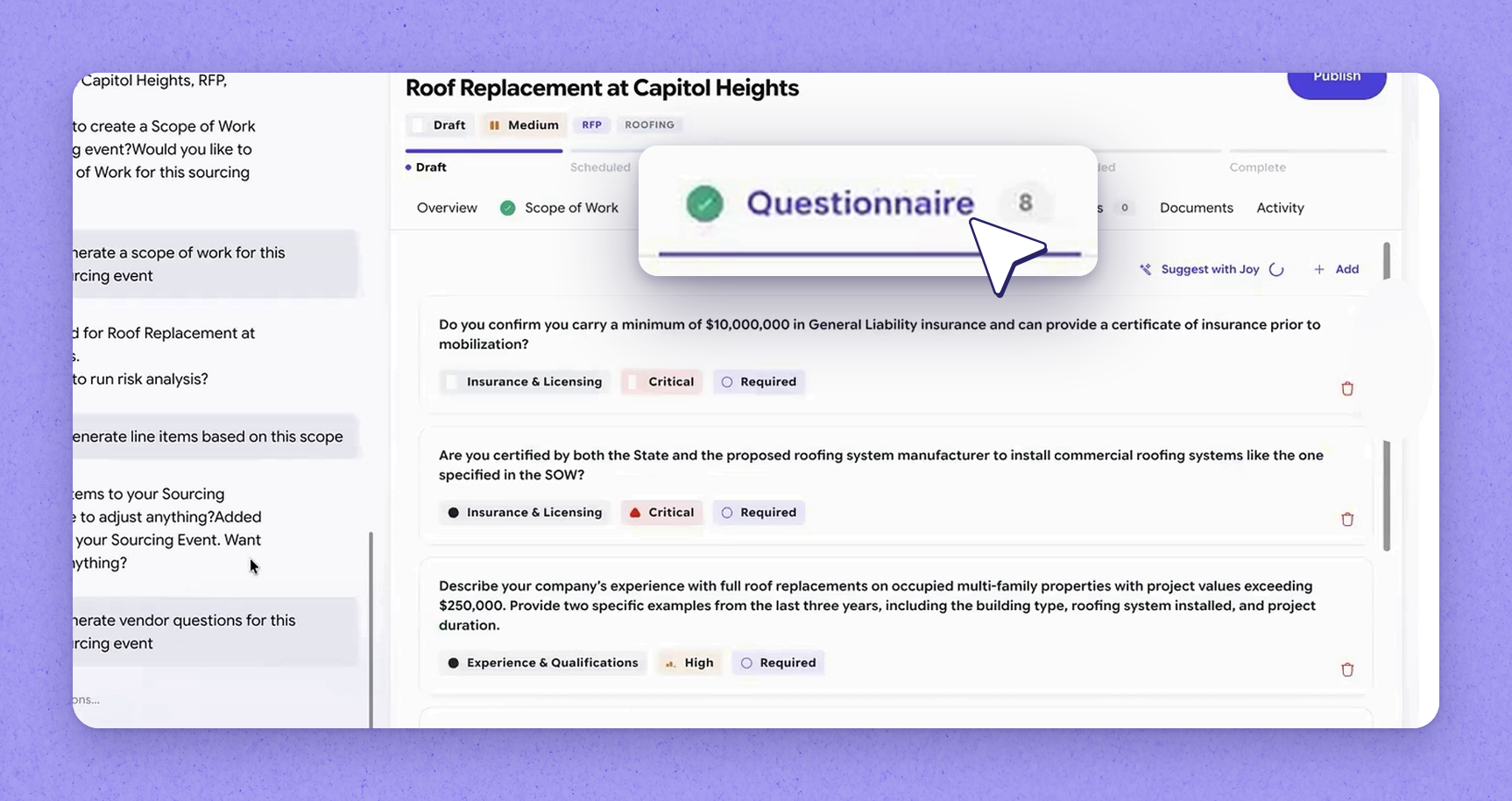
To build the questionnaire, Joy looks at the scope and the kind of work that needs to get done, your typical evaluation criteria, and what you need to ask vendors. It uses all of that to generate the questions. The result could be as simple as five questions or run to a hundred plus, depending on how elaborate your evaluation criteria is. HappyCo supports different question types — multiple choice, free text, and questions that require an attachment. In this example, Joy populated eight questions relevant to the roof replacement.
 Review and adjust questions
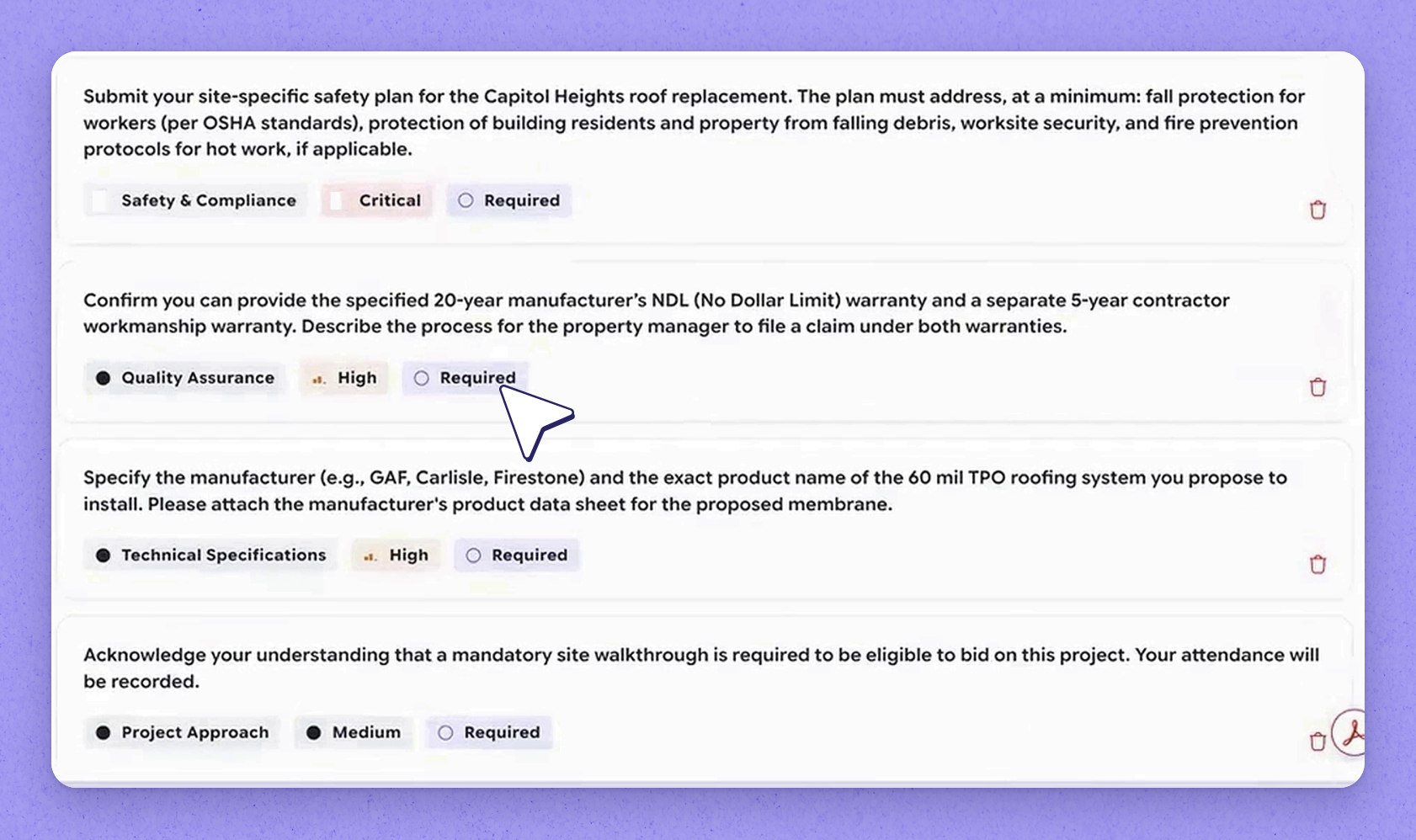
You can review the generated questions and edit or remove anything you don't need. You can also keep them as they are and add a couple more questions that Joy didn't pull. Just like the scope of work and line items, the questionnaire draws on the same details you provided.
 Where questions come from
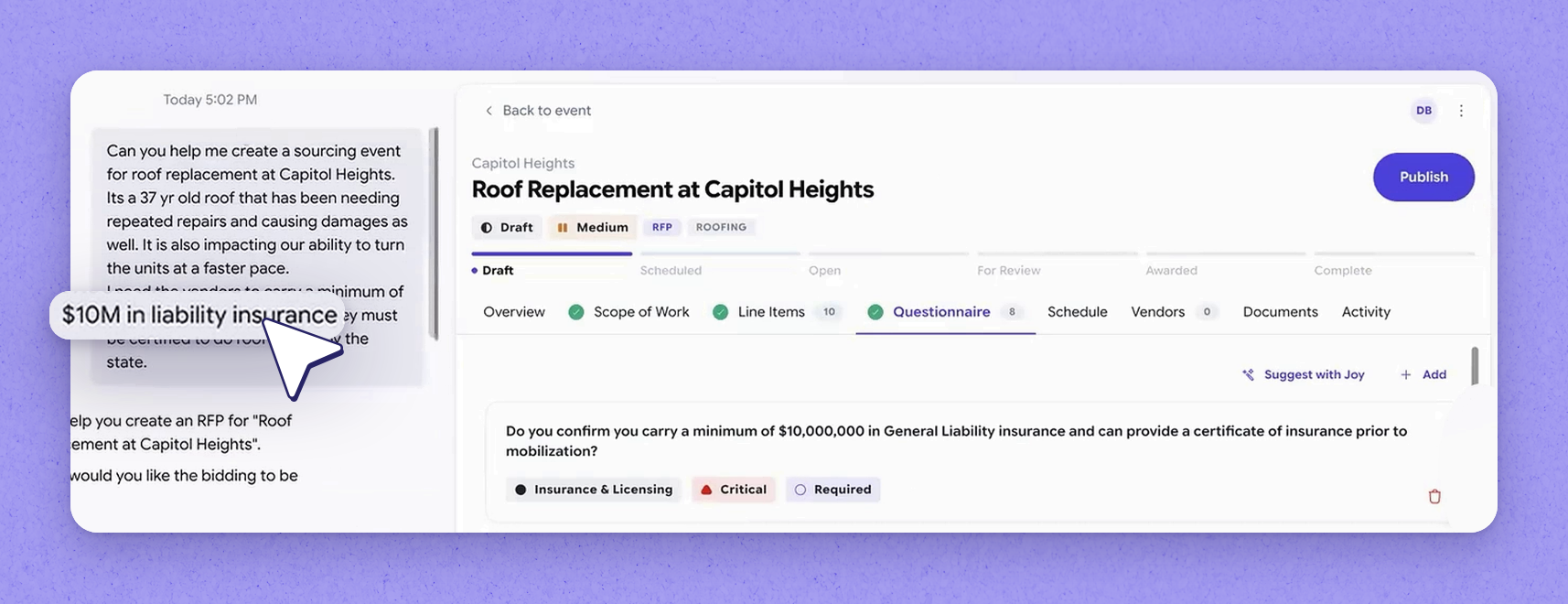
Questions come from your standard requirements and from your prompt. A minimum ten-million-dollar insurance policy, for example, is a general baseline — and in this case it came straight from the prompt, where we said we need ten million dollars in liability insurance. Joy turned that into a question so you can confirm it with the vendor. We also said vendors must be state-certified for roof installs, so Joy wrote a question asking whether they're certified both by the state and by the proposed roofing manufacturers for all commercial roofing systems.
 Critical and required questions
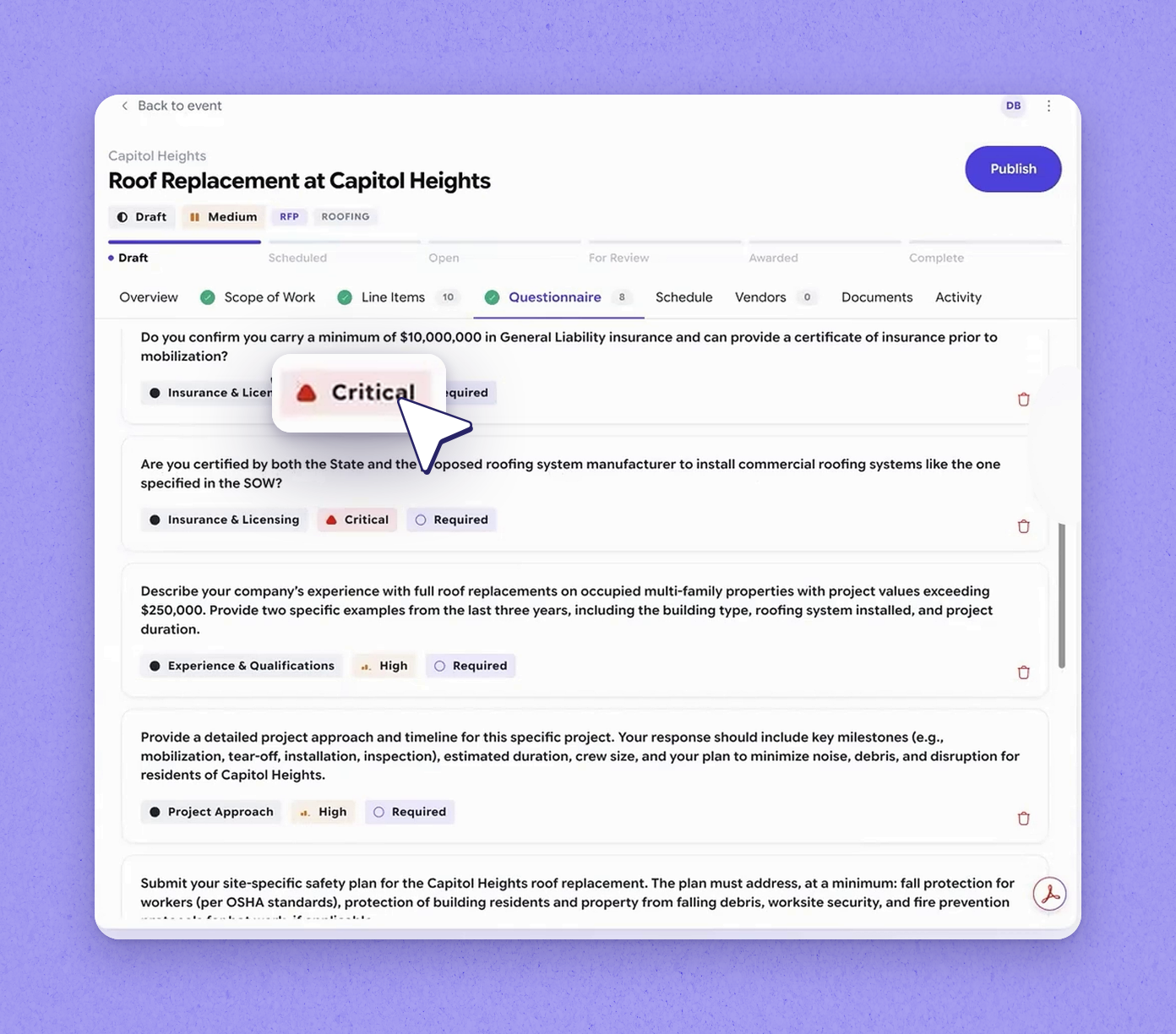
Some questions are marked critical and required, tying back to how the prompt was framed. A question is marked critical when it was given as a hard requirement in the prompt. Joy puts higher weight on those questions when evaluating responses.
 Set the event schedule
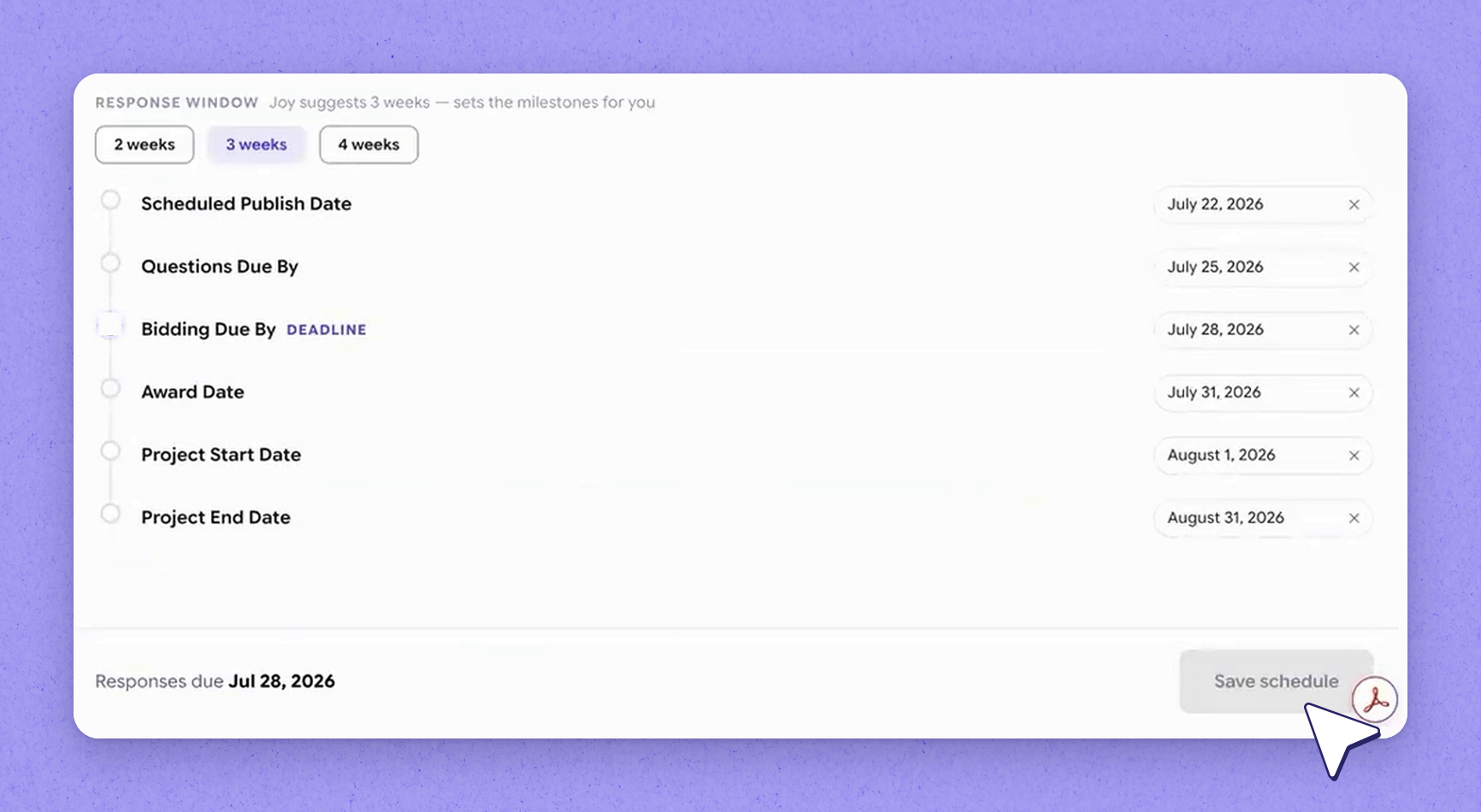
Set the schedule for the whole event by adding your key dates. In this example, we publish the event now, give vendors three days to ask any questions, have them submit all responses by the twenty-eighth, and make a decision by the thirty-first. The actual work starts on the first and is expected to be completed by the thirty-first — one month of work. With scope, line items, questionnaire, and schedule all defined, the event is fully built.
| Source | What Joy looks for |
|---|---|
| Past similar projects | Similar projects such as roofing projects you've run before |
| Company level | SOPs (standard operating procedures) defined at the company level |
| Property level | SOPs defined at the property level, using property DNA |
| Project level | Any scope-of-work instructions already on file for the project |
| Your prompt | Parameters you provided directly, such as general liability requirements |
Frequently asked questions
Is the estimated pricing I enter shared with vendors?
No. Estimated pricing is used as your baseline when comparing bids later, but it's never shared with vendors. Vendors start from a clean slate and provide their own pricing for everything.
How many questions can the questionnaire contain, and what types are supported?
It can range from as simple as five questions to a hundred plus, depending on how elaborate your evaluation criteria is. HappyCo supports multiple choice questions, free text questions, and questions that require an attachment, among others.
What does it mean when a question is marked critical?
A question is marked critical when it was given as a hard requirement in the prompt. Joy puts higher weight on critical questions when evaluating vendor responses.
Do I have to use Joy to build the scope, line items, and questionnaire?
No. You can build each component manually, or paste in and adjust an existing template. For the questionnaire, you can also load your own questions into HappyCo's template library and pull them into the event. Using Joy is one option among these.