
 happy-property
Creating inspections one unit at a time is slow and error-prone. Bulk select and search in happy-property let you set up a whole batch of inspections at once, choosing either every location or just the units that match a search term. The result is one inspection created for each selected location, ready for the team to work on.
 Select all locations to create inspections in bulk
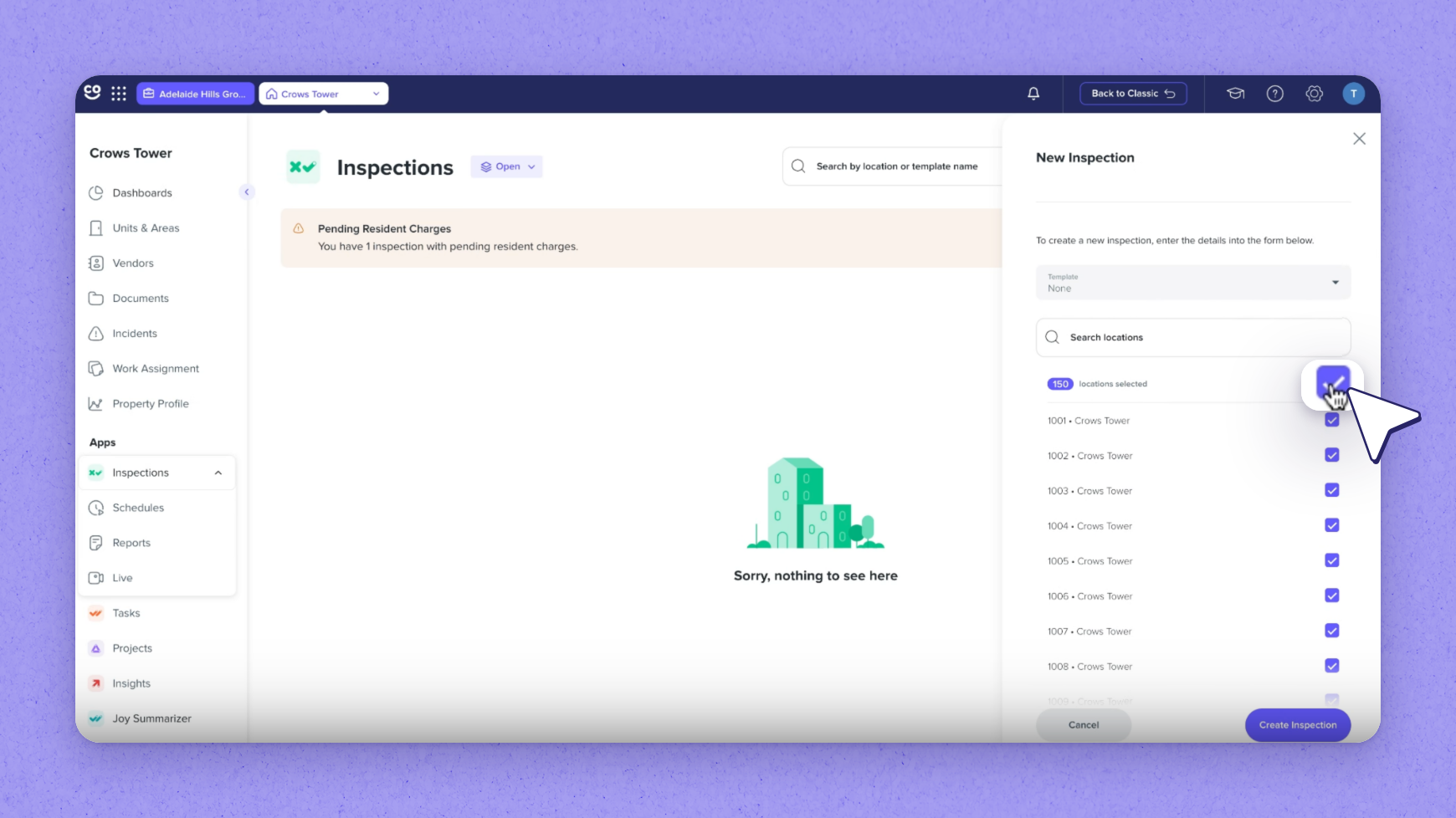
With the search empty, Select All picks every location (in the recording, all 150). Before you commit, a callout confirms how many inspections will be created — one for each selected location. Choose a template, then create the inspections. The created inspections are then ready for the team.
 Tip
Tip
Without a template, the form flags it before creating anything, so select one (for example, Move-Out Inspection) before you confirm.
2. Search, select all, then bulk create
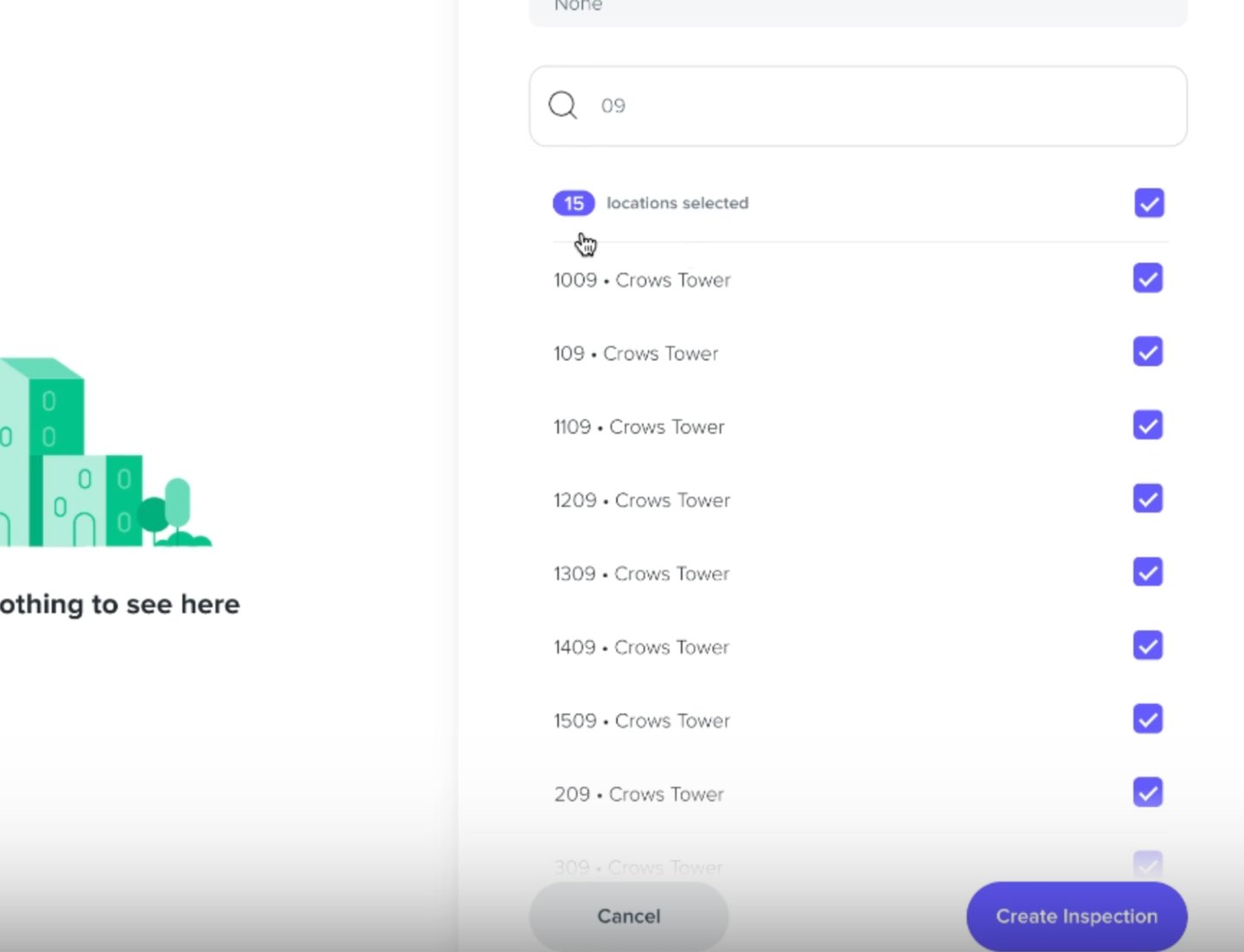
Use search to control which locations you select. To target specific units, type a search term first, then use Select All to pick just the matches (searching 09 narrowed the list to 15 units).
Frequently asked questions
How many inspections does bulk select create?
One inspection is created for each selected location. A callout confirms the count before you commit.
What happens if I don't choose a template?
The form flags it before creating anything, so you'll need to choose a template (such as Move-Out Inspection) before the inspections are created.
How do I create inspections for only certain units?
Type a search term first to narrow the list to matching units, then use Select All to pick just those matches. For example, searching 09 narrowed the list to 15 units.