
 happy-property
Incident report forms decide what staff record when something goes wrong at a property. This article shows admins how to create and edit these forms themselves, rather than asking HappyCo to make the changes. You'll give an incident type its details, control which properties can report it, build the form from sections and questions, and update existing types later.
 Create an incident type
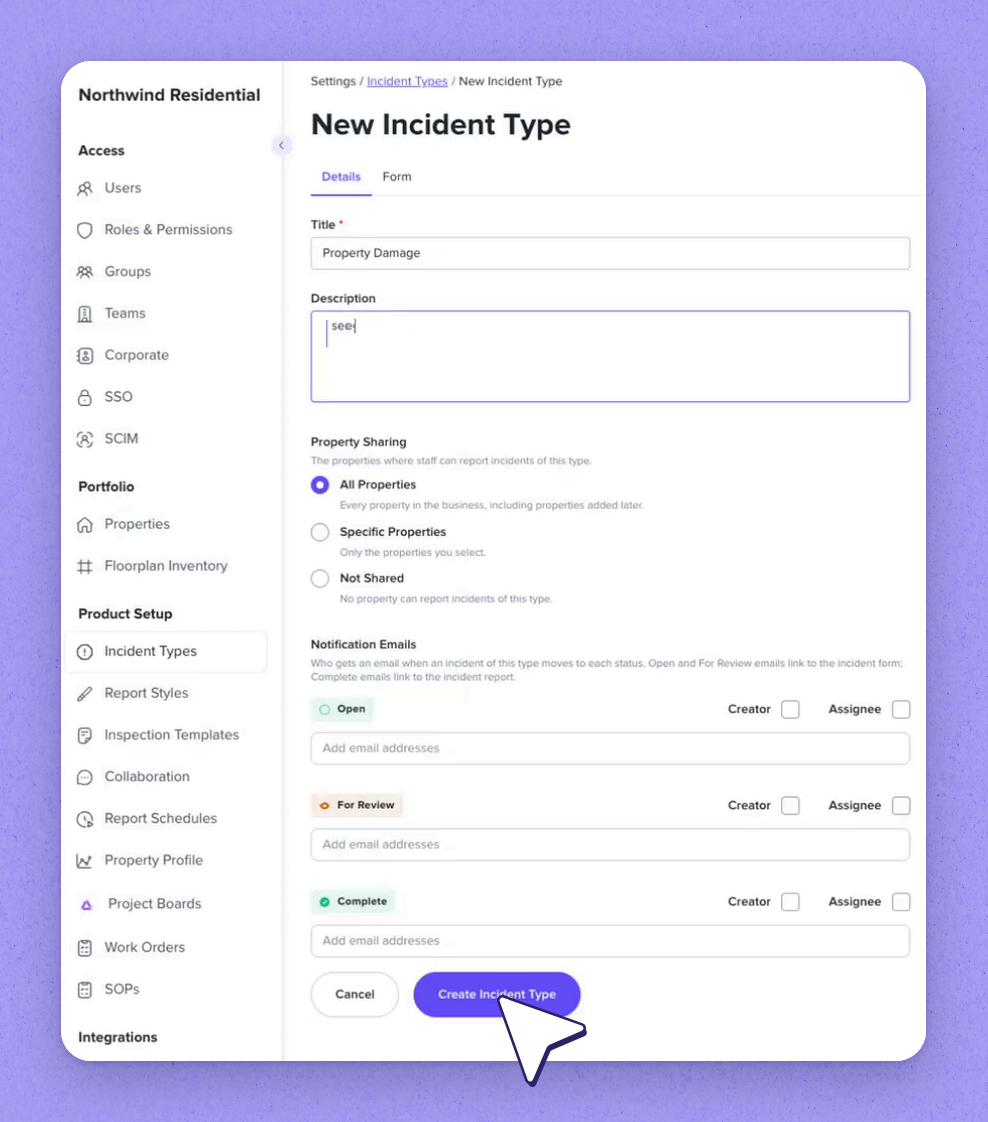
Start a new incident type from scratch, or copy an existing incident type as a base. For a new one, give it a title and a short description.
Then choose which properties can report this type:
- All properties
- Specific properties
- Not Shared, while you're still getting it ready
Set who's emailed when an incident opens, when it's ready for review, and when it's complete.
 Tip
Set a type to Not Shared while you finish building it, then switch sharing on when it's ready.
 Build the form with sections and questions
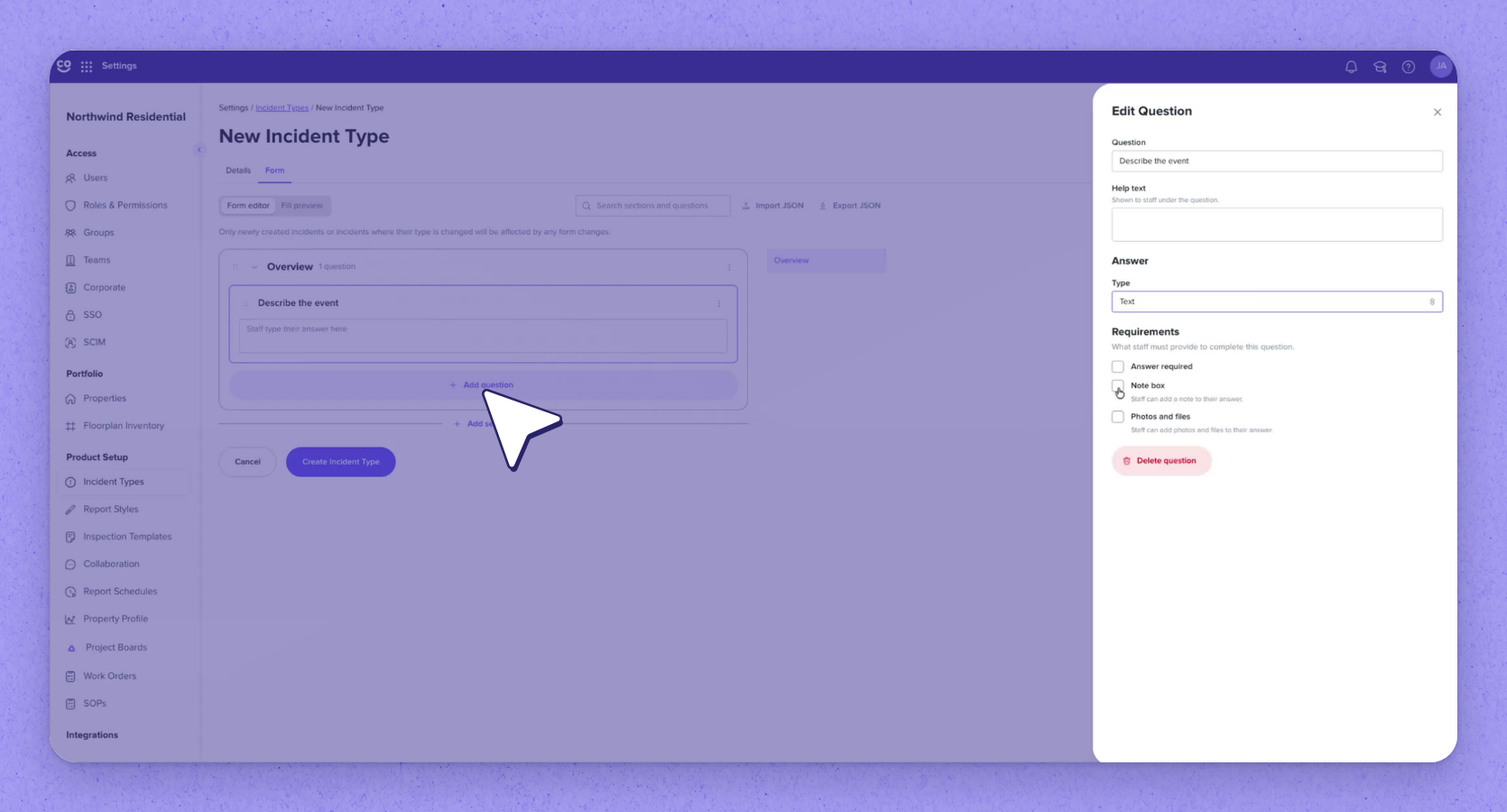
Sections group related questions. Add a section, then add a question. Type the question, add help text to guide staff, then pick the answer type:
- Yes or no
- Buttons
- Dropdown
- Checkboxes
- Text
- Number
- Date
- Instructions, with nothing to answer
Set what staff must provide: a required answer, a note box, or photos and files. Each question's menu lets you edit, duplicate or delete it. Drag questions or whole sections to change their order. Select Create Incident Type to save.
Tip
Use Fill preview to see exactly what staff will see when they fill in the form. Answers entered there aren't saved.
 Edit an existing incident type
Open an existing type to edit it. It keeps its sharing and notification settings.
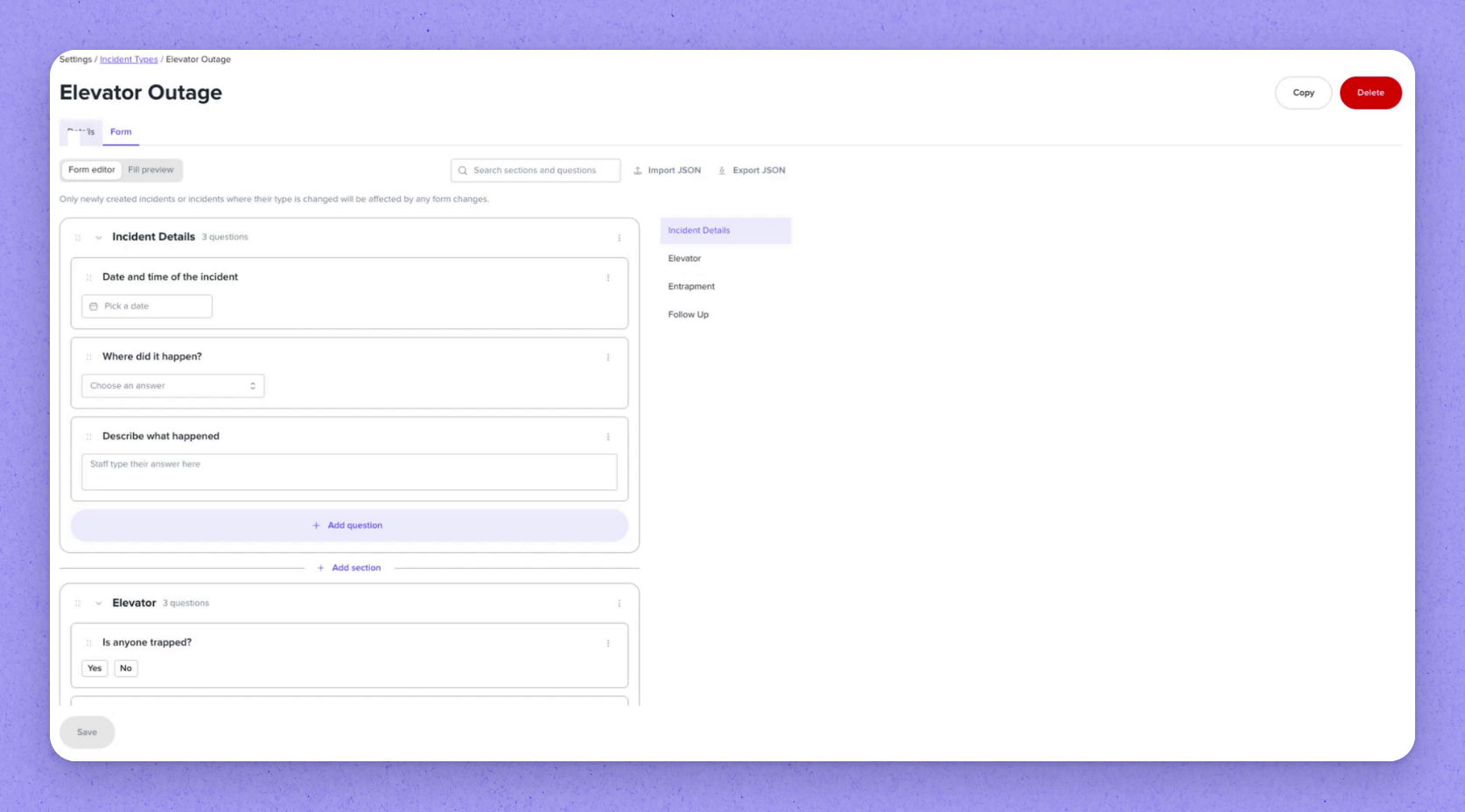
On the Form tab, sections can be set to appear only for certain answers (for example, an Entrapment section shown for specific responses). Form changes only affect newly created incidents, or ones whose type is changed.
| Answer type | What staff do |
|---|---|
| Yes or no | Choose one of two responses |
| Buttons | Pick from button options |
| Dropdown | Select an option from a list |
| Checkboxes | Select one or more options |
| Text | Enter free text |
| Number | Enter a number |
| Date | Enter a date |
| Instructions | Read only — nothing to answer |
Frequently asked questions
Do my form changes affect incidents that are already open?
No. Form changes only affect newly created incidents, or ones whose type is changed.
Can I base a new incident type on an existing one?
Yes. You can start from scratch or copy an existing incident type as a base.
What can I require staff to provide on a question?
For each question you can require an answer, a note box, or photos and files.